
 by
Phone hanging problem is one of the most common complaints from Android users: the screen freezes, apps take forever to open, the keyboard lags and sometimes the phone restarts on its own. In 2026, phones are more powerful than ever, yet heavy apps, full storage, background processes and outdated software can still make even a new device feel slow. The good news is that most phone hanging problem cases can be fixed at home in a few minutes. This guide gives you 12 easy fixes for the phone hanging problem on Samsung, Xiaomi, Redmi, Poco, Realme, Oppo, Vivo, OnePlus, Motorola and Pixel phones.
Start with the quick fixes at the top. If your phone still hangs, move on to the deeper solutions near the end.
Why Does a Phone Hang?
| Cause | Common sign |
|---|---|
| Storage almost full | Slow app launches, camera lag, failed updates |
| Too many background apps | Lag when switching apps |
| Low RAM on budget phones | Apps reload every time you return |
| Heavy games or social apps | Heating and freezing during use |
| Outdated or buggy software | Problem began after an update |
| Bad or fake apps | Pop-up ads, battery drain, random freezes |
| Overheating | Phone feels hot and slows down |
| Ageing battery or hardware | Random restarts, slower over years |
Fix 1: Restart Your Phone
The simplest fix is often the best. A restart clears temporary memory and closes stuck processes. If the screen is frozen, force restart by holding the Power button (or Power and Volume Down on Samsung) for 10 to 20 seconds until the phone vibrates. Make it a habit to restart your phone at least once a week to prevent the phone hanging problem from building up.
Fix 2: Free Up Storage
When storage is above about 90 percent full, Android struggles to manage temporary files, and the phone hanging problem becomes frequent. Go to Settings > Storage to see what is using space, then:
- Delete old videos, duplicate photos and downloaded files you no longer need.
- Back up photos to the cloud and remove the local copies; see our guide to Google Photos storage.
- Clear WhatsApp media from large chats; our WhatsApp storage full guide explains how.
- Uninstall apps you have not used in months.
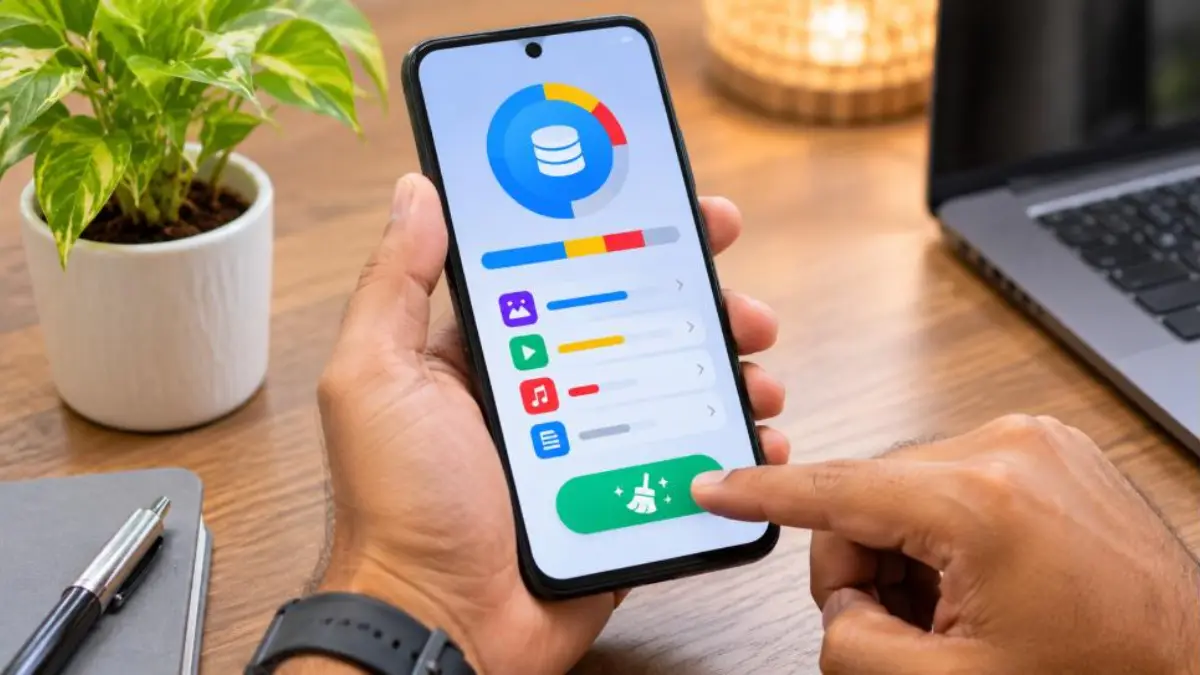
- Use the built-in cleaner in Files by Google or your phone’s own storage tool.
Try to keep at least 15 to 20 percent of storage free.
Fix 3: Close Background Apps Wisely
Open the recent apps screen and close apps you are not using, especially games, video apps and browsers with many tabs. You do not need to clear everything every few minutes; Android manages memory itself, and constantly killing apps can make them reload slowly. Close only heavy apps when you notice lag.
Fix 4: Update Software and Apps
Updates fix bugs that cause freezing and improve performance. Go to Settings > System > Software update (or Settings > Software update on Samsung) and install any pending updates. Then open the Play Store, tap your profile icon > Manage apps & device > Update all. Many phone hanging problem reports are solved simply by updating a buggy app.
Fix 5: Clear App Cache
Apps store temporary data called cache. Sometimes it becomes corrupted and causes lag. For any app that hangs often, go to Settings > Apps > [app] > Storage & cache > Clear cache. This does not delete your login or personal data. Avoid “Clear storage” unless you have a backup, because it resets the app completely.
Fix 6: Remove Suspicious and Unused Apps
Fake cleaner, booster, battery saver and “free VPN” apps often run hidden ads and background services that cause the phone hanging problem. Uninstall apps you do not recognise, apps showing ads on your lock screen, and any app installed from outside the Play Store. Then open the Play Store, tap your profile > Play Protect and run a scan.
Fix 7: Turn Off or Reduce Animations
Animations make the phone look smooth but use resources. On low-RAM phones, reducing them can make the phone feel faster.
- Go to Settings > About phone and tap Build number seven times to enable Developer options.
- Open Settings > System > Developer options.
- Set Window animation scale, Transition animation scale and Animator duration scale to 0.5x.
Do not change other developer settings unless you know what they do.
Fix 8: Use Lite Apps and Reduce Widgets
Heavy social media apps, live wallpapers and many home screen widgets keep running in the background. Remove widgets you do not need, switch to a static wallpaper, and try lighter versions of apps or the mobile website of a service instead of its full app. This simple change reduces the phone hanging problem on budget phones with 3 GB or 4 GB RAM.
Fix 9: Cool Down the Phone
When a phone overheats, the processor slows itself down to protect the hardware, which feels like the phone hanging problem. Remove the case while charging, avoid gaming during charging and keep the phone away from direct sunlight. Read our phone overheating guide for detailed steps. Heat also damages batteries over time, which you can learn more about in our article on phone battery draining fast.
Fix 10: Check Battery Health and Power Saving
An old battery that cannot deliver steady power can cause random slowdowns and restarts. Some phones show battery health in Settings > Battery. Also note that extreme power saving modes limit performance; if the phone feels slow, check whether a battery saver is switched on and turn it off when you need full speed.
Fix 11: Wipe Cache Partition (Where Available)
On some phones, clearing the system cache from recovery mode helps after big updates. Turn the phone off, then press the button combination for recovery mode (often Power and Volume Up), select “Wipe cache partition” and restart. Many newer models do not offer this option; if yours does not, skip this step.
Fix 12: Back Up and Factory Reset
If the phone hanging problem continues even after all the fixes above, a factory reset gives your phone a fresh start. It erases everything, so back up first.
- Back up photos, contacts and WhatsApp chats.
- Note your Google account email and password.
- Go to Settings > System > Reset options > Erase all data (factory reset). On Samsung: Settings > General management > Reset.
- After restarting, install only the apps you really use.
Brand-Specific Tips
Samsung Galaxy
Use Settings > Device care > Optimise now. Turn on auto optimisation, which restarts the phone automatically at a time you choose. Remove unused apps from Sleeping apps lists only if you need their notifications.
Xiaomi, Redmi and Poco
Open the Security app and use Cleaner and Boost speed carefully. Turn off personalised ad recommendations in system apps, which reduces background activity. Keep HyperOS updated.
Realme, Oppo and OnePlus
Use Phone Manager or the built-in optimise tool, and check that “Smart power saving” is not too aggressive. Disable pre-installed apps you do not use where the option is available.
Vivo and iQOO
Use iManager to clean storage and check background apps. Turn off unnecessary auto-start permissions for apps that do not need to run in the background.
Google Pixel and Motorola
Keep the phone updated, use Files by Google to clean storage, and check Adaptive Battery settings. Pixel phones rarely need extra cleaner apps.
Quick Fix Table
| Symptom | Best fix |
|---|---|
| Phone freezes completely | Force restart |
| Slow everywhere, storage nearly full | Free up storage |
| One app always hangs | Clear cache, update or reinstall the app |
| Hangs while gaming | Cool down, close background apps, lower graphics |
| Started after update | Install the latest patch, wipe cache if available |
| Ads and pop-ups with lag | Remove suspicious apps and run Play Protect |
| Nothing helps | Back up and factory reset |
Phone Hanging Problem While Gaming
Games push the processor and graphics chip hard. If your phone hangs mainly in games, lower the in-game graphics and frame rate settings, close all other apps before playing, turn on the phone’s game mode if available, and take breaks to let the phone cool. Avoid “game booster” apps from unknown developers. Playing on a charger raises heat further, so charge first and play later.
Phone Hanging Problem in WhatsApp and Social Apps
Large group chats with thousands of photos and videos can make WhatsApp sluggish. Turn off auto-download of media for groups (Settings > Storage and data > Media auto-download), clear old media from big groups and archive chats you rarely open. For Instagram and Facebook, clear cache regularly and turn off autoplay videos on mobile data. These small steps reduce the phone hanging problem caused by social apps.
Phone Hanging Problem After an Update
After a major Android update, the phone may feel slow for a day or two while it optimises apps in the background. Keep it charged, connected to Wi-Fi and give it time. If the phone hanging problem continues for more than a few days, check for a follow-up patch, update all apps and clear cache of the apps that misbehave. Report the issue in your phone maker’s community or support app if many users face the same bug.
Phone Hanging Problem on Low-RAM Phones
Budget phones with 2 GB to 4 GB RAM struggle with today’s heavy apps. Keep only essential apps installed, use lite versions where available, avoid keeping many browser tabs open and restart the phone daily if needed. Turning off unnecessary background sync for apps like email or cloud storage also helps. With careful use, even older budget phones can avoid most of the phone hanging problem.
Is Your Phone Hanging Problem a Sign of Malware?
Sometimes the phone hanging problem comes with other warning signs: unknown apps appearing, ads on the home screen, high data use, fast battery drain or strange messages sent from your account. These can indicate malicious apps. Do the following:
- Run a Play Protect scan from the Play Store.
- Check Settings > Apps for apps you did not install and uninstall them.
- Review Device admin apps under Security settings and remove unknown ones.
- Change your Google and banking passwords from a safe device.
- Block unknown callers and suspicious messages; our guide to blocking spam calls helps.
Official Help Resources
Google’s Android Help page on fixing slow or freezing devices lists additional troubleshooting steps, and most phone makers offer support apps with built-in diagnostics. If your phone is under warranty and still shows the phone hanging problem after a reset, visit an authorised service centre rather than a local repair shop, so your warranty stays valid and genuine parts are used.
When to Consider a New Phone
Every phone slows down with age. If your device is more than four or five years old, no longer receives software updates, has very little RAM for today’s apps, and still shows the phone hanging problem after a factory reset, upgrading may be more practical than spending time on fixes. Before buying, compare RAM, storage and the number of years of promised software updates.
Monthly Phone Maintenance Routine
Set a reminder on the first day of every month and spend ten minutes on these tasks: install pending updates, clear large downloads and old WhatsApp media, uninstall apps you have not opened in thirty days, back up new photos and restart the phone. This short routine prevents the phone hanging problem from coming back and also keeps your data safe. Families can do the same for elderly parents’ phones, which often fill up quickly with forwarded videos and images.
Prevention Tips
- Keep at least 15 to 20 percent storage free.
- Restart your phone once a week.
- Install apps only from the Play Store and check reviews.
- Update apps and system software regularly.
- Avoid cleaner and booster apps; built-in tools are enough.
- Do not charge while playing heavy games.
- Back up photos to the cloud and clear old media every month.
Real Examples
Rahul’s budget phone: Rahul’s 4 GB RAM phone hung every time he opened the camera. Storage was 96 percent full. He backed up photos, cleared WhatsApp videos and freed 12 GB. The camera now opens instantly.
Meena’s ads problem: Meena noticed full-screen ads and constant lag. She found a “battery booster” app she had installed months earlier. After uninstalling it and running Play Protect, the phone hanging problem disappeared.
Joseph’s old phone: Joseph’s five-year-old phone stayed slow even after a reset. Because it no longer received updates, he chose to upgrade and moved his data using the built-in transfer tool.
Check keyboard and launcher apps: If typing lags or the home screen freezes, the keyboard or launcher may be the culprit. Switch temporarily to Gboard or your phone’s default launcher and see whether the lag disappears. Third-party launchers with heavy themes and icon packs often use extra memory on budget phones.
Limit auto-sync: Email, cloud storage and photo backup apps sync data in the background. If many apps sync at the same time, your phone can feel sluggish. Under Settings > Accounts, turn off sync for accounts you do not need, and set photo backup to run only on Wi-Fi while charging.
Watch for storage-hungry apps: Some apps quietly grow to several gigabytes because of cached videos and offline downloads. Check the largest apps under Settings > Storage > Apps every month, and clear downloads in video and music apps you no longer watch or listen to offline.
Frequently Asked Questions
Why does my phone hang suddenly?
A sudden phone hanging problem is often caused by a stuck app, full storage, overheating or a recent buggy update. Restart the phone first.
Do cleaner apps fix the phone hanging problem?
Usually not. Many cleaner apps run in the background and show ads, making things worse. Use built-in storage and optimisation tools instead.
Will a factory reset fix my phone hanging problem?
It fixes most software causes. Back up first. If hanging continues after a reset, the hardware or battery may be the issue.
How much free storage should I keep?
Try to keep 15 to 20 percent of total storage free for smooth performance.
Does RAM matter?
Yes. Phones with more RAM can keep more apps open without reloading. On low-RAM phones, closing heavy apps and using lite apps helps.
Can a virus cause phone hanging?
Malicious apps can slow your phone. Run Play Protect, remove unknown apps and avoid installing apps from outside the Play Store.
Why does my phone hang while charging?
Heat builds up while charging, especially during heavy use. Avoid gaming or video calls while charging, and remove thick cases.

Conclusion
The phone hanging problem is frustrating, but it is usually fixable. Restart the phone, free up storage, close heavy apps, update software, clear app cache and remove suspicious apps. Reduce animations, cool down an overheating phone and use brand tools to optimise performance. If nothing works, back up and factory reset. With these 12 easy fixes and a few good habits, your Android phone can run smoothly again in 2026.


