 by
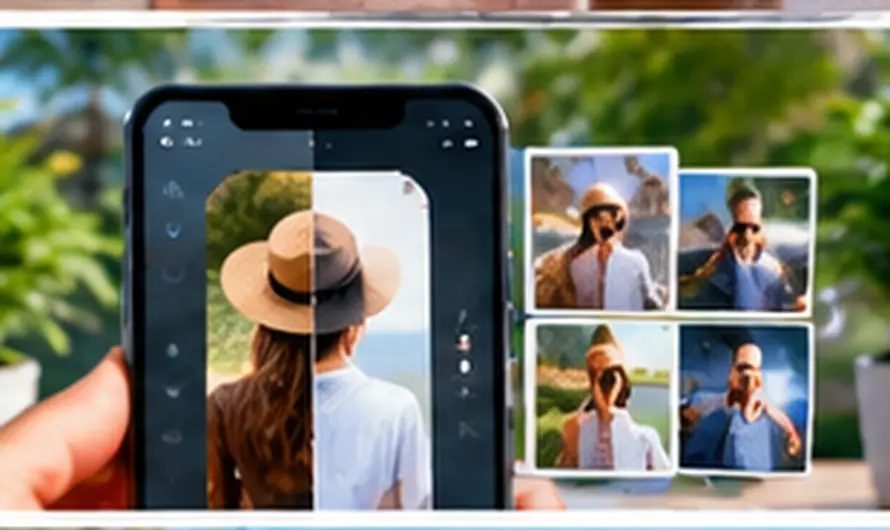
The best AI photo editing apps for Android have moved far beyond simple filters and crop tools. Today’s apps can erase unwanted people from the background, swap a dull sky for a golden sunset, sharpen a blurry old photo, or generate an entirely new image from a text prompt, all directly from your phone. Picking the right app depends less on which one has the most features and more on which AI photo editing tools actually match what you shoot and share.
This matters because most people now edit photos on their phone before posting, and a good AI photo editing app can save the time you would otherwise spend on a desktop editor. Whether you want quick touch-ups for social media or professional-grade retouching, there is an Android app built specifically for that use case.
Best AI Photo Editing Apps for Android in 2026
1. Google Photos (Magic Editor and Magic Eraser)
If your phone already runs Google Photos, you have a capable AI photo editing tool built in for free. Magic Eraser removes stray objects and people with a tap, while Magic Editor can reposition subjects, adjust lighting, and even fill in the background realistically. It is the easiest starting point since there is nothing extra to install.
2. Adobe Lightroom
Lightroom brings AI Denoise, Generative Remove, and AI Masking to Android, along with full RAW file support for anyone who shoots with a dedicated camera and transfers photos to their phone. It is the closest thing to desktop-grade AI photo editing you will find in a mobile app, though the premium subscription is worth it mainly for serious photographers.
3. PicsArt AI Studio
Built for social media creators, PicsArt AI Studio offers AI Expand to widen a photo’s borders intelligently, object replacement, and background removal in a few taps. The free tier includes a limited number of AI credits each week, which is enough for occasional editing before you need to consider the paid plan.
4. PhotoRoom
PhotoRoom specializes in clean background removal and AI relighting, making it a favorite for anyone selling products online or building a portfolio. Its automatic background removal is noticeably fast and accurate, even with complex edges like hair or fur.
5. Snapseed
Snapseed remains completely free and includes AI Healing and Smart Masking tools without any subscription wall. It lacks generative AI features like background replacement, but for straightforward AI photo editing, such as removing blemishes or evening out exposure, it is hard to beat at zero cost.
What Makes AI Photo Editing Different From Manual Editing
Traditional photo editing asks you to manually select an area, adjust sliders, and blend the result yourself. AI photo editing tools instead analyze the image and handle the selection, blending, and even content generation automatically, so a task that used to take twenty minutes with layers and masks now takes seconds. The trade-off is less granular control, which is why apps like Lightroom still offer manual sliders alongside their AI features for users who want both.
Tips for Getting the Best Results From AI Photo Editing Apps for Android
- Start with a well-lit, high-resolution photo, since AI tools work better with more visual data to analyze
- Use Magic Eraser or PhotoRoom for object removal before applying color or lighting edits
- Save a copy of the original photo before editing, since some AI edits are difficult to reverse perfectly
- Check your phone’s storage before a big editing session, since AI processing can temporarily use extra cache space
If you edit a lot of photos, keeping your device’s storage clear makes a real difference in how smoothly these AI tools run, so see our guide on fixing Google Photos storage full errors if your library is filling up. And if you use an AI chatbot alongside your editing apps to brainstorm captions or ideas, our guide on fixing ChatGPT when it stops responding covers the same troubleshooting logic that applies to most AI apps.
Common Problems and Fixes
The AI editing tool takes forever to process a single photo.
This usually means the app is processing on-device rather than in the cloud, so a large photo on an older phone will take longer. Try reducing the image resolution slightly before editing if speed matters more than maximum quality.
Magic Eraser leaves a visible smudge where an object used to be.
Try selecting a slightly larger area around the object rather than tracing it tightly, since giving the AI more surrounding context usually produces a cleaner fill.
My free AI credits ran out mid-edit.
Most apps like PicsArt reset weekly credits on a fixed schedule, so check the app’s account settings for the exact reset date, or switch temporarily to a free tool like Snapseed for non-generative edits.
Frequently Asked Questions
Which AI photo editing app is best for beginners on Android?
Google Photos is the easiest starting point since it is likely already installed and its Magic Eraser and Magic Editor tools require no manual selection skills to get good results.
Do AI photo editing apps work without an internet connection?
Some basic adjustments work offline, but most generative AI features, like background replacement or object removal, need an internet connection since the heavy processing happens on the app’s servers.
Is it safe to upload personal photos to AI photo editing apps?
Reputable apps process images securely and typically delete them from their servers after editing, but it is worth reading an app’s privacy policy before uploading sensitive personal photos.
Can AI photo editing apps fix very old, damaged photographs?
Yes, apps like YouCam Enhance specialize in restoring and colorizing old black-and-white photos, often producing dramatically improved results compared to manual restoration.
The right choice among AI photo editing apps for Android really comes down to what you shoot most: casual social posts favor Google Photos or PicsArt, while product photography and professional work lean toward PhotoRoom or Lightroom. Try the free tier of a couple of these apps first, since the best AI photo editing experience is ultimately the one that fits how you already take and share photos.