
 by
Planning a trip from Thiruvananthapuram to Bengaluru, Kozhikode to Kochi, or Kannur to Chennai? KSRTC Online Booking lets you reserve seats on Kerala State Road Transport Corporation and KSRTC-SWIFT buses from your phone in a few minutes. This 2026 guide explains the official website and app, seven easy steps to book, how to choose the right bus type, payment options, how to cancel, and tips to get seats during festival rush.
Whether you are a student going home for the weekend, an IT professional travelling between cities, or a family heading for a holiday, these steps will make KSRTC Online Booking simple and stress-free.
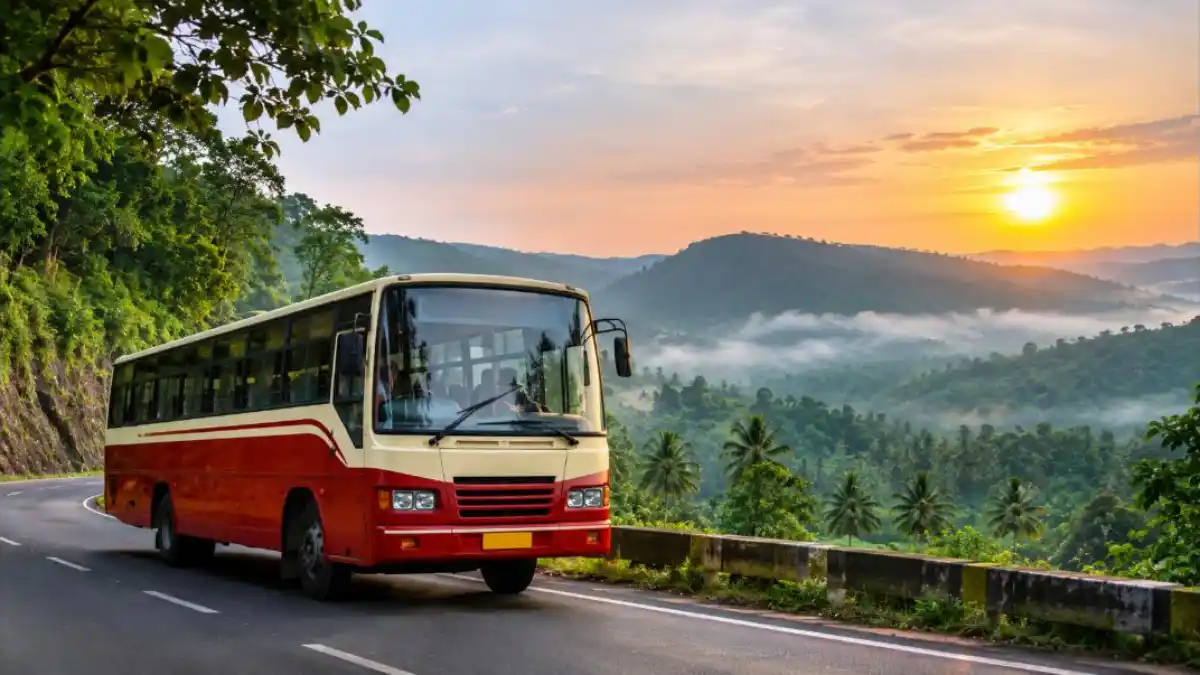
What Is KSRTC Online Booking?
KSRTC Online Booking is the official online reservation system of Kerala RTC. In 2023, KSRTC moved its online ticketing to a new platform shared with KSRTC-SWIFT, so tickets for both can be booked in one place. You can book through the official website and the official mobile app called Ente KSRTC Neo OPRS, available for Android and iPhone.
The system covers long-distance and interstate services such as Super Fast, Fast Passenger on select routes, Super Deluxe, Air Bus, Garuda, Swift Deluxe, sleeper and AC services, depending on the route. Ordinary town buses are generally not reserved online.
Official Website and App
| Platform | Use |
|---|---|
| Official KSRTC SWIFT booking website | Search, book, cancel and print tickets on a browser |
| Ente KSRTC Neo OPRS app | Book and manage tickets on Android and iPhone |
| Where is my KSRTC (tracking) | Track bus location on supported routes |
Always use the official website or app. Avoid unknown agents who charge extra or sell fake tickets. To track your bus after booking, read our guide on the Where is my KSRTC bus app.
KSRTC Online Booking: 7 Easy Steps
Step 1: Open the official site or app
Open the official KSRTC SWIFT online booking website or install the Ente KSRTC Neo OPRS app from the Play Store or App Store.
Step 2: Sign up or log in
Register with your mobile number and email, verify the OTP and create a password. Logging in lets you view bookings, download tickets and cancel easily. Some routes may allow guest booking, but an account is more convenient.
Step 3: Enter route and date
Type the “From” and “To” places, such as Kozhikode to Bengaluru, and select the journey date. Tap search.
Step 4: Choose the bus
You will see a list of available services with departure time, arrival time, bus type, fare and available seats. Use filters for AC, non-AC, sleeper or seater, and departure time.
Step 5: Select seats and boarding point
Open the seat layout and pick your seat. Ladies’ seats and reserved quotas are marked. Choose your boarding and dropping points carefully, because buses stop only at listed points.
Step 6: Enter passenger details
Fill in each passenger’s name, age and gender. Keep an ID proof ready; you may need to show it during the journey.
Step 7: Pay and download ticket
Pay using UPI, debit card, credit card or net banking. After payment, the e-ticket is sent by SMS and email and appears in “My Bookings”. Showing the SMS or e-ticket on your phone is usually enough while boarding.

Choosing the Right KSRTC Bus Type
| Bus type | Best for | Comfort |
|---|---|---|
| Fast Passenger / Super Fast | Short and medium trips within Kerala | Basic seating |
| Super Deluxe / Deluxe | Long trips within Kerala | Better seats, fewer stops |
| Swift Deluxe / Garuda | Interstate trips to Bengaluru, Chennai, Mysuru | Pushback seats, AC in many services |
| Sleeper services | Overnight long-distance travel | Berths for lying down |
| Low-floor AC | City and airport connections on select routes | Air-conditioned, easy boarding |
Available bus types differ by route, so always check the list shown during KSRTC Online Booking.
Before you confirm, review the date, time, boarding point and passenger names once more on the summary screen. A careful 30-second check now can save you from cancellation charges and last-minute stress at the bus stand.
Payment Options
KSRTC Online Booking supports common digital payment methods. Choose the one that works best for you:
- UPI apps such as Google Pay, PhonePe, Paytm or BHIM
- Debit cards and credit cards
- Net banking from major banks
- Wallets, if offered by the payment gateway
If money is deducted but the ticket is not generated, do not book again immediately. Check “My Bookings” after a few minutes. Failed transactions are usually refunded automatically to the source account within a few working days. If not, contact KSRTC customer support with the transaction reference.
How to Cancel a KSRTC Ticket Online
- Log in to the official website or app.
- Open “My Bookings” or “Cancel Ticket”.
- Select the ticket and the passengers to cancel.
- Review the refund amount shown as per the cancellation policy.
- Confirm cancellation and note the reference.
The refund depends on how many hours before departure you cancel. Cancelling earlier usually gives a higher refund. Read the cancellation rules shown on the ticket and the booking site before you travel, because they may change.
Tips to Get Seats During Festival Rush
Onam, Christmas, New Year, Vishu, Ramzan, Bakrid and long weekends see heavy demand, especially on Bengaluru, Chennai and Mysuru routes. KSRTC often announces special services during these times. Here is how to improve your chances:
- Book as soon as reservations open for your date.
- Check special services added during festival seasons.
- Try nearby boarding points if your stop is full.
- Be flexible with departure times; late-night services may have seats.
- Keep your UPI or card ready to pay quickly.
- Follow official KSRTC social media pages for announcements of extra services.

KSRTC Online Booking for Interstate Routes
Kerala RTC runs many interstate services, especially to Bengaluru, Mysuru, Mangaluru, Chennai, Coimbatore and Nagercoil. These routes are very popular with students and IT professionals. Swift Deluxe, Garuda, sleeper and AC seater buses are common on these routes. Through KSRTC Online Booking, you can compare departure times and bus types and pick the most convenient one. Carry a valid ID, as checking staff may ask for it on interstate journeys.
Concessions and Special Quotas
Some seats are reserved for ladies, senior citizens or differently abled passengers on certain services. Concession rules for students and other groups are usually governed by KSRTC policies and may not apply to all premium services or online bookings. Check the details shown during booking or ask at the KSRTC counter before travelling.
Common Problems and Fixes
| Problem | Fix |
|---|---|
| No buses shown | Check the spelling of places, try nearby towns, or change date |
| Payment failed | Wait and check “My Bookings”; refund usually comes automatically |
| Ticket SMS not received | Download from “My Bookings” or check email |
| OTP not received | Check network and request again after a minute |
| Wrong boarding point selected | Contact support or cancel and rebook if possible |
| App not opening | Update the app, clear cache, or use the website |
What to Carry on the Journey
- E-ticket on your phone or the SMS
- Original photo ID such as Aadhaar, driving licence or voter ID
- Charged phone and power bank for long trips
- Water bottle and light snacks
- Warm clothes for AC and overnight buses
KSRTC Online Booking vs Private Bus Apps
Many travellers compare KSRTC Online Booking with private bus booking apps. Both have advantages. Government buses generally have regulated fares, fixed schedules and wide coverage across Kerala, including smaller towns. Private operators may offer more departure options on some city pairs. Here is a simple comparison:
| Point | KSRTC official booking | Private bus apps |
|---|---|---|
| Fare | Government-regulated | Varies with demand |
| Coverage | Wide, including small towns | Mostly major routes |
| Festival pricing | Special services added | Prices can rise sharply |
| Booking fee | As shown on official site | Platform fees may apply |
| Reliability | Public operator | Depends on operator |
Step-by-Step Example: Booking Kochi to Bengaluru
To make KSRTC Online Booking crystal clear, here is a sample booking from Ernakulam to Bengaluru for a Friday night journey.
- Open the Ente KSRTC Neo OPRS app and log in with your mobile number.
- Type Ernakulam in “From” and Bengaluru in “To”, and choose Friday’s date.
- Filter for sleeper or AC seater and sort by departure time.
- Pick a service leaving around 8 pm that reaches early morning.
- Choose a lower berth or window seat and select Vyttila or another listed boarding point.
- Enter passenger name, age and gender.
- Pay through UPI and save the e-ticket shown in “My Bookings”.
Reach the boarding point at least 15 minutes early. Buses on busy interstate routes leave on time, and boarding points can be crowded on Friday nights.
Tracking Your Bus
After KSRTC Online Booking, you may want to know where your bus is. KSRTC has introduced live tracking on many services. Use the official tracking options or apps listed by KSRTC, enter your bus or service details, and see the approximate location. This is especially helpful at night or when you are picking up family members.
Safety Tips While Booking
- Book only through the official KSRTC website or the Ente KSRTC Neo OPRS app.
- Do not trust social media pages selling “confirmed” tickets.
- Never share OTPs or card PINs with anyone claiming to be KSRTC support.
- Check the official customer care number on the KSRTC website, not search ads.
- Keep your booking confirmation until the journey is complete.
For tips on protecting yourself from fake calls and payment fraud, read our guide on the Digital Arrest Scam and how to report cyber fraud.
KSRTC Online Booking for Families and Seniors
When travelling with children or elderly parents, choose seats near the front for easier movement and fewer jerks. Lower berths in sleeper buses are better for seniors. Book early so that all family members get seats together. Carry ID proof for every adult traveller. If you are booking for parents who travel alone, share the ticket on their phone and save the bus number and conductor contact if provided.
Booking From Outside Kerala
Keralites living in Bengaluru, Chennai, Hyderabad or abroad can also use KSRTC Online Booking to reserve trips home. Indian debit and credit cards and UPI work best. If you are booking for parents from abroad, use their mobile number for the ticket SMS so they receive updates directly. International cards may or may not be accepted by the payment gateway, so keep an Indian payment option ready.
Understanding Your E-Ticket
Your KSRTC Online Booking e-ticket contains several details that are useful during the journey. Check them as soon as you receive the ticket so that any problem can be fixed early.
| Ticket detail | What to check |
|---|---|
| PNR or ticket number | Needed for cancellation and support |
| Service or trip code | Helps identify your bus at the stand |
| Departure time | Time from the starting point; your boarding time may differ |
| Boarding point | Make sure it is the stop you intend to use |
| Seat or berth number | Confirm upper or lower berth in sleepers |
| Passenger names | Must match the ID you carry |
| Fare paid | Keep for your records and refunds |
Booking for Groups and Long Trips
For a group of friends or a family trip, KSRTC Online Booking lets you choose multiple seats in one transaction, depending on the limit set by the system. If you need a full bus for a tour or event, KSRTC also offers contract carriage and budget tourism services in some depots. Contact the nearest depot or check the KSRTC budget tourism announcements for details.
Popular Routes for KSRTC Online Booking
Some routes are booked heavily every week. Knowing them helps you plan early.
| Route | Why it is popular | Booking tip |
|---|---|---|
| Thiruvananthapuram – Kozhikode | North-south trunk route | Many services; book night buses early |
| Ernakulam – Bengaluru | IT professionals and students | Book Friday and Sunday trips well in advance |
| Kozhikode – Bengaluru via Mysuru | Malabar travellers | Check sleeper availability |
| Thiruvananthapuram – Chennai | Interstate work and study travel | Compare departure times |
| Kannur – Mangaluru | Short interstate hop | Daytime services usually available |
| Kochi – Munnar | Tourism | Holiday seasons fill fast |
Smart Tips to Save Time and Money
- Save frequent passengers in your profile so you do not type details each time.
- Compare a slightly earlier or later bus; fares and seat availability can differ by service type.
- Choose a non-AC deluxe service for short daytime trips to save money.
- For overnight trips, a sleeper or pushback seat is worth it for comfort and rest.
- Book return tickets at the same time during festival seasons.
- Turn on notifications in the app for booking confirmations and updates.
KSRTC Online Booking for First-Time Users
If you have never booked a bus online, start with a short trip to get comfortable with the screens. Use the website on a laptop first, as the larger layout makes it easier to understand seat maps and boarding points. Once you complete one KSRTC Online Booking successfully, the app becomes very quick to use for future trips. Ask a family member to sit with you the first time if you are unsure about payments. Remember that the official system never asks for your UPI PIN over the phone; you only enter it inside your own UPI app to approve the payment.
Finally, keep the customer support contact details from the official website saved in your phone. If a bus is delayed or a service is cancelled, support or the depot can guide you about alternative buses or refunds.
Checklist Before You Book
- Official website or Ente KSRTC Neo OPRS app ready
- Login with your mobile number
- Correct travel date and route
- Preferred bus type and departure time decided
- Boarding and dropping points confirmed
- Passenger names and ages ready
- UPI or card ready for payment
- ID proof to carry on the journey
Frequently Asked Questions
Which is the official website for KSRTC Online Booking?
KSRTC and KSRTC-SWIFT tickets are booked on the official KSRTC SWIFT online booking platform. Always reach it through the official KSRTC website to avoid fake pages.
What is the official KSRTC booking app?
The official app is Ente KSRTC Neo OPRS, available on Android and iPhone.
Do I need to print the ticket?
Usually no. The SMS or e-ticket on your phone along with a valid ID is generally accepted. Follow any instructions printed on the ticket.
Can I cancel my KSRTC ticket online?
Yes. Log in, open “My Bookings”, select the ticket and cancel. The refund depends on the cancellation policy and the time before departure.
How early can I book?
Booking windows depend on KSRTC policy and route. Book as early as possible, especially for weekends and festivals.
Money was deducted but no ticket came. What should I do?
Check “My Bookings” and your email first. If no ticket appears, the amount is usually refunded automatically. Contact customer support with the transaction ID if it is not refunded in a few working days.
Can I book interstate buses to Bengaluru and Chennai?
Yes. KSRTC Online Booking covers many interstate services operated by Kerala RTC and KSRTC-SWIFT.
Conclusion
KSRTC Online Booking makes travel across Kerala and to neighbouring states simple and affordable. Use the official website or the Ente KSRTC Neo OPRS app, pick the right bus type, choose your seat and boarding point, and pay securely. Book early for weekends and festivals, carry ID, and keep the e-ticket handy. For official information and announcements, visit the Kerala RTC website and the official online booking portal.