
 by
Is your phone getting hot while charging, gaming, or even sitting in your pocket? Phone Overheating is one of the most common smartphone problems in India, especially in hot and humid places like Kerala. Heat slows your phone, drains the battery faster and, over time, can permanently reduce battery health. In this 2026 guide, you will learn why phones overheat, the warning signs to watch, and 12 easy fixes for Android and iPhone that you can try today.
Most cases of Phone Overheating have simple causes such as heavy apps, poor charging habits or direct sunlight. With a few changes, you can keep your phone cool, fast and safe.
Why Does Phone Overheating Happen?
Every phone produces heat when the processor, display, battery and radios work. Phones are designed to manage normal heat, but when too many heat sources combine, the temperature rises beyond comfort. Here are the main causes:
- Heavy usage: Gaming, 4K video recording, video calls and navigation push the processor hard.
- Charging while using: Charging produces heat, and using the phone at the same time doubles it.
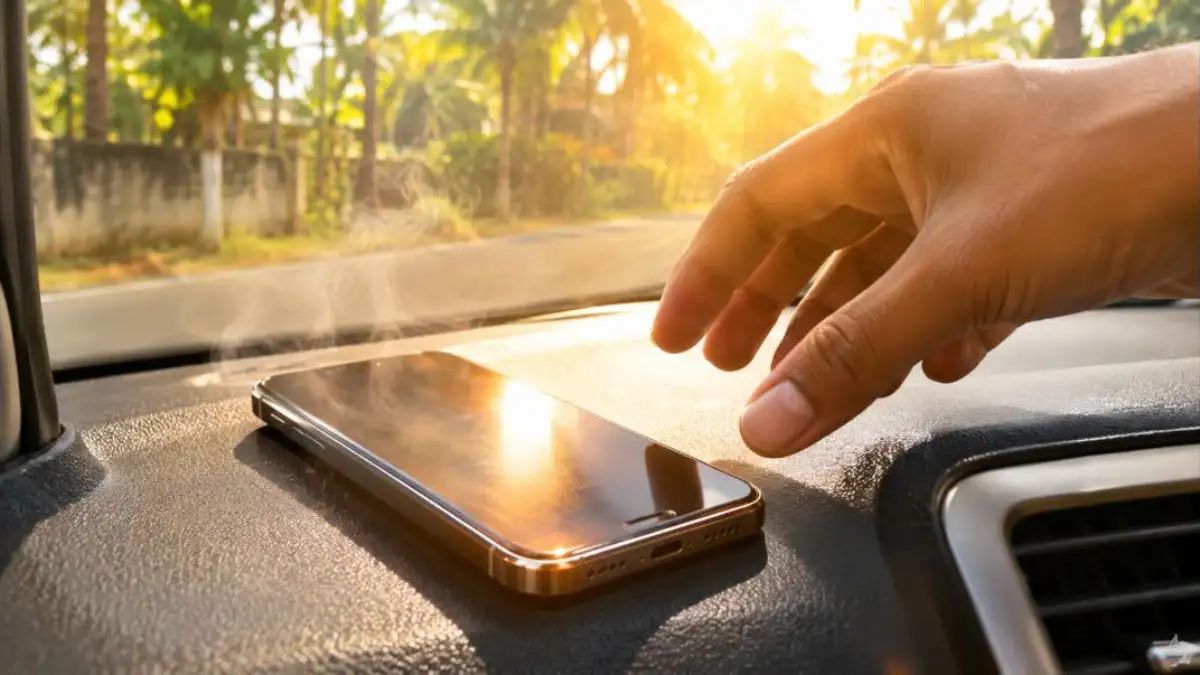
- Hot environment: Direct sunlight, a car dashboard or a hot kitchen can raise temperature quickly.
- Weak network: Searching for signal in low network areas makes the modem work harder.
- Background apps: Apps syncing, tracking location or stuck in a loop keep the processor busy.
- Old or damaged battery: Aging batteries generate more heat and hold less charge.
- Thick cases: Some cases trap heat and stop it from escaping.
- Malware or buggy updates: Unwanted apps or software bugs can cause high CPU usage.
Signs of Phone Overheating
| Sign | What it means |
|---|---|
| Phone feels hot to touch | Temperature is above normal |
| Screen brightness drops automatically | System is reducing heat |
| Apps lag or games drop frames | Processor is throttling to cool down |
| Charging slows or stops | Battery protection is active |
| Temperature warning message | Phone needs to cool before use |
| Camera flash disabled | Heat protection feature |
If your phone shows a temperature warning, stop using it, remove it from the charger and let it cool in a shaded place. Do not put it in a fridge or freezer; sudden cooling can cause moisture inside.
12 Easy Fixes for Phone Overheating
1. Stop using the phone while charging
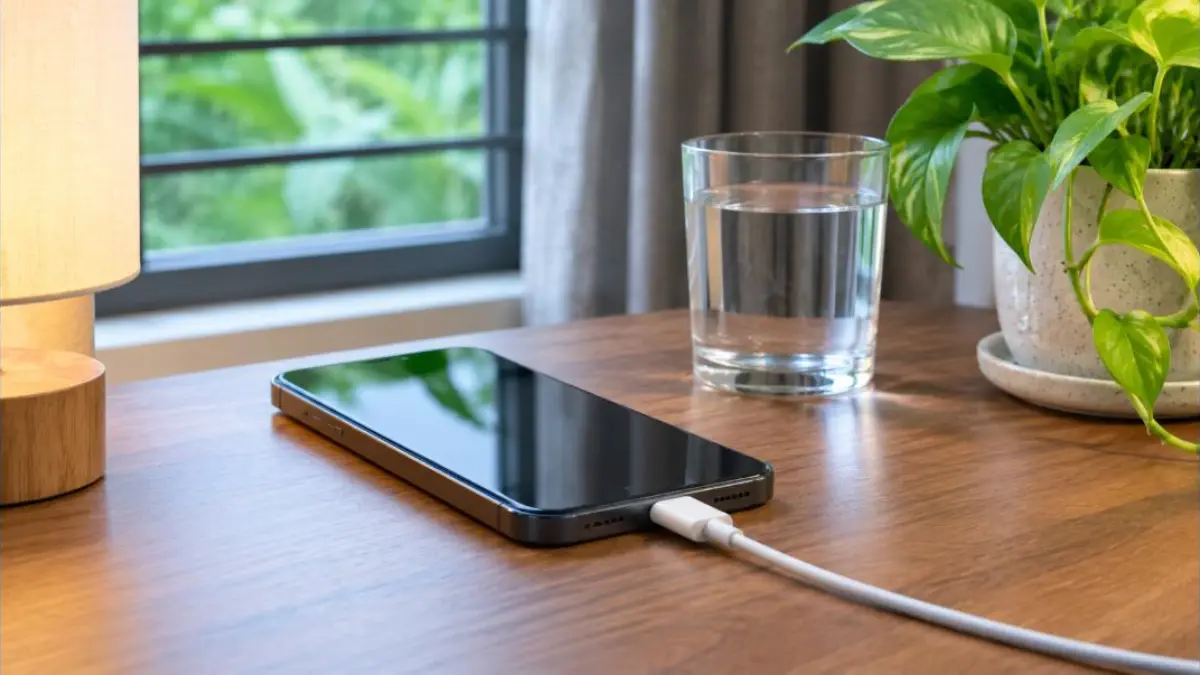
Charging and heavy use together is the top cause of Phone Overheating. Let the phone charge quietly, especially during fast charging. If you must use it, avoid games and video calls.
2. Use the original or certified charger
Cheap chargers and cables may deliver unstable power and produce extra heat. Use the original charger or a certified one from a trusted brand that supports your phone’s charging standard.
3. Remove the case while charging or gaming
Thick rubber or leather cases trap heat. Take the case off during long gaming sessions or charging to let heat escape.
4. Keep the phone out of direct sunlight
Never leave your phone on a car dashboard, a bike seat in the sun or near a stove. In Kerala summers, a phone in direct sunlight can heat up within minutes.
5. Close background apps
Open the recent apps screen and close apps you are not using, especially games, maps and video apps. On Android, check Settings > Battery to see which apps use the most power.
6. Lower screen brightness
The display is a big heat source. Use auto-brightness or reduce brightness manually. Dark mode on OLED screens also helps reduce power use.
7. Turn off unused features
Switch off Bluetooth, GPS, mobile hotspot and NFC when you are not using them. Each radio adds to heat and battery drain.
8. Use Wi-Fi or airplane mode in weak network areas
When mobile signal is weak, the phone keeps boosting power to find a tower. Connect to Wi-Fi if available or switch on airplane mode in areas with no network.
9. Update your phone and apps
Software updates often include fixes for bugs that cause Phone Overheating and battery drain. Go to Settings > System > Software update on Android or Settings > General > Software Update on iPhone. Update apps from the Play Store or App Store too.
10. Restart the phone
A simple restart clears stuck processes that may be keeping the processor busy. If your phone is warm for no clear reason, restart it and check if the heat goes away.
11. Check for harmful or unknown apps
Apps installed from outside the official store can run hidden tasks. Uninstall apps you do not recognise, and run Google Play Protect on Android. Avoid “cleaner” or “booster” apps that promise magic results; many of them add more background work.
12. Check battery health
An aging battery can overheat more easily. On iPhone, check Settings > Battery > Battery Health. Many Android phones show battery health in Settings or through the brand’s support app. If battery health is very low or the battery is swollen, replace it at an authorised service centre. For iPhone users, see our guide on maintaining iPhone battery health.
Phone Overheating While Charging
Charging is the most common time for Phone Overheating. A little warmth during fast charging is normal, but the phone should not become too hot to hold. Follow these tips:
- Charge on a hard, flat surface like a table, not on a bed, pillow or sofa.
- Keep the phone away from direct sun and heat sources while charging.
- Avoid wireless charging pads that are not certified for your phone.
- Use optimised or adaptive charging features if your phone has them.
- Unplug once charged if your phone lacks charging protection features.
- Check that the charging port is clean; dust and lint cause poor contact and heat.
Phone Overheating While Gaming
Games like battle royale titles push both the processor and graphics chip. Here is how to keep gaming cool:
- Lower graphics settings and frame rate in the game.
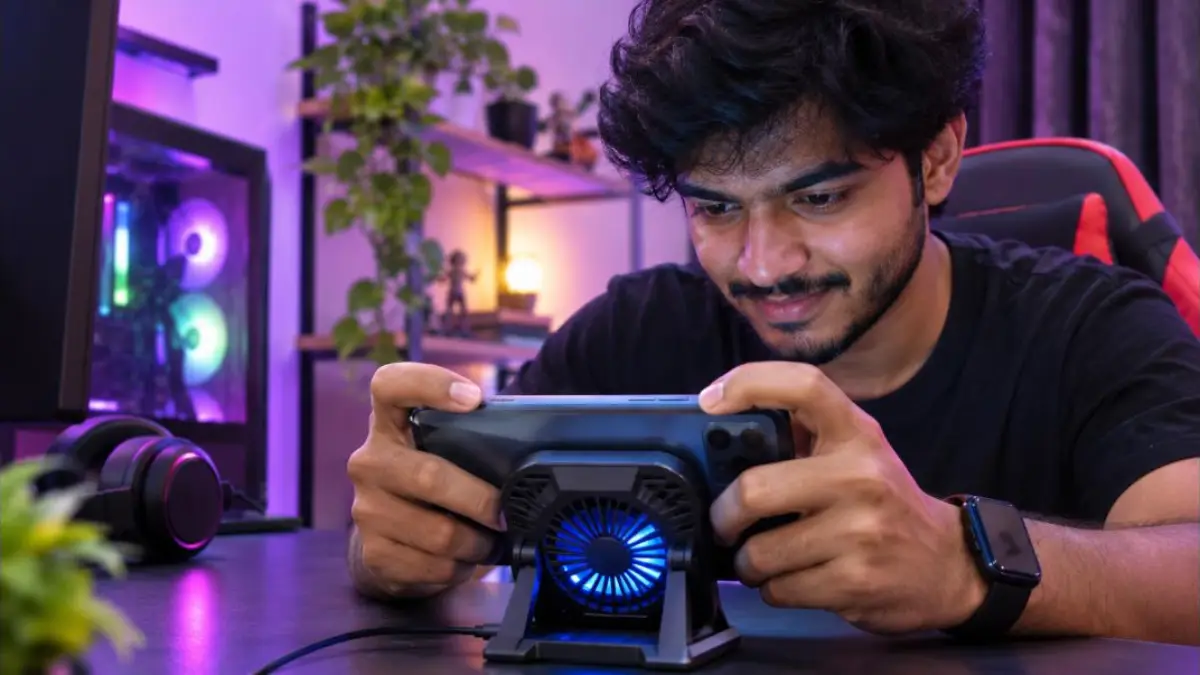
- Turn on the phone’s game mode or performance balance mode.
- Take breaks every 30 to 45 minutes.
- Remove the case and play in a cool, ventilated room.
- Do not play while charging.
- Use a phone cooler accessory if you game for long periods.
Phone Overheating in Summer
Kerala and many parts of India see high temperatures and humidity in summer. During this time, Phone Overheating becomes more frequent even with normal use. Keep the phone in a shaded pocket or bag, not in a back pocket under direct sun. Avoid long video calls outdoors at midday. If you use your phone for navigation while riding or driving, mount it away from direct sunlight and close to an AC vent if you are in a car.
Android vs iPhone: Built-In Heat Protection
| Feature | Android | iPhone |
|---|---|---|
| Temperature warning | Many phones show a warning and close apps | Shows a “needs to cool down” screen at high temperature |
| Charging pause | Adaptive charging slows charging when hot | Charging may pause above a set temperature |
| Performance throttling | Reduces CPU speed to cut heat | Reduces performance and brightness |
| Battery health info | Varies by brand | Settings > Battery > Battery Health |
These safety features protect your phone, but they also mean slower performance. Preventing heat in the first place keeps your phone fast.
Phone Overheating in Kids and Seniors Phones
Children often play games for long hours, and seniors may leave phones on a sunny window sill or charge them on a bed. Set screen time limits for kids, teach them not to play while charging, and help elderly family members find a cool, hard surface near a socket to charge. Turn on auto-brightness and battery saver on their phones so they stay cooler without any effort.
What Not to Do When Your Phone Is Hot
- Do not put the phone in a fridge, freezer or ice; condensation can damage the circuits.
- Do not keep using heavy apps while it shows a temperature warning.
- Do not charge a hot phone; let it cool first.
- Do not cover it with a pillow or blanket.
- Do not use a swollen battery; it can be dangerous.
- Do not open the phone yourself to “fix” the battery.
Is Phone Overheating Dangerous?
Mild warmth is normal and not dangerous. But repeated or severe Phone Overheating can reduce battery capacity, shorten the life of internal parts, and in rare cases of damaged or swollen batteries, create a safety risk. If you notice a bulging back cover, strange smell, smoke, or the phone gets extremely hot without heavy use, stop using it, keep it away from flammable items and visit an authorised service centre.
Accessories That Help Keep Your Phone Cool
| Accessory | Benefit | Tip |
|---|---|---|
| Slim, breathable case | Lets heat escape | Choose thin cases for daily use |
| Phone cooler fan | Cools during gaming | Use only for long gaming sessions |
| Certified fast charger | Stable charging with less heat | Match your phone’s charging standard |
| Car vent mount | Keeps phone near cool air while driving | Avoid dashboard mounts in direct sun |
| Quality charging cable | Fewer power fluctuations | Replace frayed cables immediately |
Free Up Storage to Reduce Load
A nearly full storage can slow down the phone and make background tasks work harder, adding to heat. Delete unused apps, clear old downloads and back up photos to the cloud. WhatsApp media is often the biggest space user; our guide on freeing up WhatsApp storage shows how to clean it quickly.
Brand-Specific Tips
Samsung
Use Device Care in Settings to optimise the phone and check battery usage. Turn on adaptive battery and protect battery options if available.
Xiaomi, Redmi and POCO
Use the Security app to clean junk and check battery use. Avoid running many performance boosters at once.
OnePlus, Oppo, Realme and Vivo
Use optimised charging and battery health features in Settings. Check for system updates, as these brands often release thermal improvements.
Google Pixel
Use Adaptive Charging and Adaptive Battery. Pixel phones show temperature warnings and reduce performance when hot.
iPhone
Turn on Optimised Battery Charging, check Battery Health, and keep iOS updated. Apple notes that iPhone works best in a moderate ambient temperature range.
Daily Habits to Prevent Phone Overheating
Small daily habits make a big difference. Think of them as basic care for your phone, just like keeping a bike serviced.
- Charge in a cool place and avoid overnight charging on soft surfaces.
- Close heavy apps after use instead of leaving them in the background.
- Keep brightness on auto.
- Turn off location for apps that do not need it.
- Restart your phone once every few days.
- Keep at least 10 to 15 percent of storage free.
- Update apps and system software regularly.
- Keep the phone out of direct sunlight, especially in summer.
How to Check Which App Is Causing Heat
On Android, open Settings > Battery > Battery usage. Look for apps using an unusually high percentage of battery in the background. Restrict background usage for such apps or uninstall them. On iPhone, go to Settings > Battery and scroll down to see app activity. Apps with high background activity are often the cause of Phone Overheating. If a recently installed app appears at the top, try removing it and watch if the heat reduces.
Phone Overheating Quick Diagnosis Table
Use this table to quickly match your situation with the most likely cause of Phone Overheating and the best first fix.
| When it gets hot | Likely cause | First fix to try |
|---|---|---|
| Only while charging | Fast charging, poor charger, soft surface | Use original charger on a hard surface |
| Only while gaming | Heavy processor and graphics load | Lower graphics, take breaks, remove case |
| During video calls | Camera, screen and network together | Use Wi-Fi, lower brightness |
| While using maps outdoors | GPS, screen and sunlight | Shade the phone, reduce brightness |
| When idle in pocket | Background app or bug | Check battery usage, restart, update |
| After a recent update | Re-indexing or software bug | Wait a day, then check for patch |
| Old phone, any use | Weak battery | Check battery health, replace if low |
Phone Overheating and Battery Life
Heat is the biggest enemy of lithium-ion batteries. When Phone Overheating happens often, the chemical parts inside the battery wear out faster, and the battery holds less charge over time. That is why a phone that often overheats will need charging more frequently after a year or two. Keeping your phone cool is one of the easiest ways to extend battery life without spending money. Many phones now include features that stop charging at around 80 percent or learn your routine to finish charging just before you wake up, which reduces heat stress.
If you depend on your phone for work, banking and family calls, preventing Phone Overheating also protects your data and productivity, because a cool phone is less likely to restart or freeze at the wrong moment.
When to Visit a Service Centre
If you have tried all the fixes and your phone still overheats during light use, there may be a hardware issue such as a faulty battery, charging port or motherboard component. Visit an authorised service centre for your brand. Avoid local repair shops for battery replacement on premium phones, because poor quality batteries can make the problem worse. Ask for a battery health check and a diagnostic report.
Real-Life Examples
Example 1: Delivery rider in summer
Shibu, a food delivery rider in Kochi, noticed his phone shut down every afternoon. The phone was mounted on his bike in full sun with navigation and hotspot running. He moved the mount to a shaded position, turned off hotspot, and lowered brightness. The shutdowns stopped.
Example 2: Student gaming while charging
Ameen played games for hours while charging with a cheap cable. His phone became too hot and the battery health dropped quickly. After switching to the original charger, removing the case and avoiding gaming while charging, the heat reduced noticeably.
Example 3: Office worker with a buggy app
Divya’s phone stayed warm even when idle. Battery usage showed a newly installed photo editor running in the background. Uninstalling it fixed the issue.
Frequently Asked Questions
Why is my phone overheating while charging?
Charging naturally creates heat. Using the phone at the same time, poor chargers, thick cases or a hot environment make it worse. Charge on a hard surface in a cool place.
Is it normal for my phone to get warm?
Yes, mild warmth during charging, gaming or video calls is normal. It should not become too hot to hold.
Can Phone Overheating damage the battery?
Yes. Repeated high temperatures can reduce battery capacity and lifespan over time.
Should I put my phone in the fridge to cool it?
No. Sudden cooling can create moisture inside the phone. Let it cool naturally in a shaded, ventilated place.
Do cooling apps work?
Most “cooler” apps only close background apps, which you can do yourself. Some add extra background activity. Use built-in device care tools instead.
Why does my phone heat up in low network areas?
The phone increases radio power to find a signal, which generates heat. Use Wi-Fi or airplane mode in very weak network areas.
Conclusion
Phone Overheating is common but usually easy to fix. Avoid using the phone while charging, keep it out of sunlight, close heavy apps, update software and watch battery health. If the problem continues, get a proper check at an authorised service centre. For official guidance, see Apple’s iPhone temperature advice and Android Help.


