by
by An Aadhaar Card is one of the most widely used digital identity documents in India. Issued by the Unique Identification Authority of India (UIDAI), Aadhaar provides a unique 12-digit number to eligible residents and supports identity verification for many services. In 2026, UIDAI has expanded digital services through the new Aadhaar App, while the myAadhaar portal continues to support services such as e-Aadhaar download, address updates and status tracking. This guide explains the most useful Aadhaar services and how to access them safely online.
What Is an Aadhaar Card?
An Aadhaar Card is the physical representation of an individual’s Aadhaar identity, while the Aadhaar number is the important unique identifier. UIDAI provides several ways to access and manage Aadhaar information, including the paper Aadhaar letter, e-Aadhaar and Aadhaar PVC Card. The e-Aadhaar can be downloaded through the official myAadhaar portal or the Aadhaar App, while the PVC version is a compact and durable alternative. All these forms represent the same Aadhaar identity when issued through UIDAI.
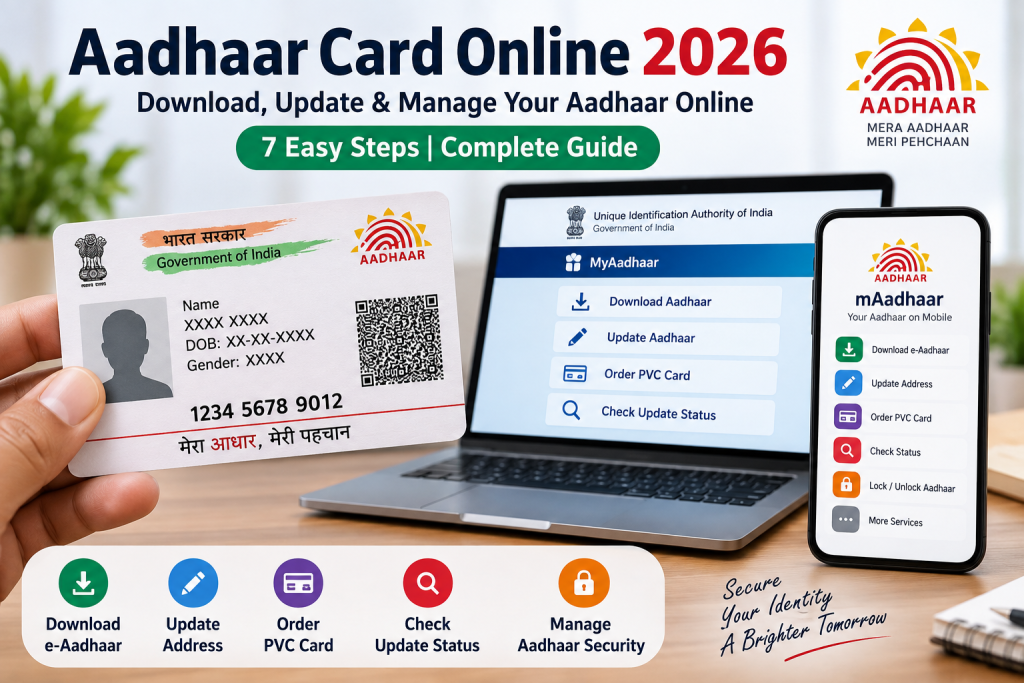
1. Download Your e-Aadhaar Online
If you already have an Aadhaar number, you do not always need to carry the physical card. UIDAI allows residents to download e-Aadhaar through the myAadhaar portal or the official Aadhaar App. The digital document can be saved on a phone or computer and used when an Aadhaar document is required. To download it online, you generally need access to the registered mobile number for OTP authentication. Always use the official UIDAI website or application instead of unknown third-party websites.
2. Update Your Aadhaar Address
Moving to a new home is one of the most common reasons for updating Aadhaar information. UIDAI currently allows eligible residents to update their address online through the myAadhaar portal using the required supporting document. After submitting an online address update request, a Service Request Number (SRN) is generated, which can be used to track the request. Address information can also be updated at an Aadhaar Enrolment Centre when required. Keeping your address accurate can help prevent problems with identity and service verification.
3. Update Your Mobile Number and Other Details
UIDAI provides facilities for updating demographic information such as name, gender, date of birth, address, mobile number and email address, subject to the applicable process and requirements. The current Aadhaar App also lists mobile number and address update among its services. Some changes can be completed digitally, while others may require a visit to an Aadhaar centre. Before starting an update, check the current UIDAI instructions because the available online services and supporting-document requirements can differ depending on the type of information being changed.
4. Use the New Aadhaar App
One of the biggest Aadhaar-related developments in 2026 is the new official Aadhaar App from UIDAI. The app provides services including mobile number and address updates, biometric lock and unlock, selective sharing of Aadhaar Verifiable Credentials, authentication history, e-Aadhaar download and request tracking. UIDAI also says users can create up to five Aadhaar profiles on one smartphone, subject to the required authentication. This makes the application particularly useful for families managing Aadhaar services for multiple eligible members.
5. Order an Aadhaar PVC Card
If you prefer a physical card that is smaller and more durable than the traditional paper Aadhaar letter, you can order an Aadhaar PVC Card online. UIDAI describes the PVC version as a compact, durable card containing security features such as a tamper-proof QR code, micro text, ghost image and embossed Aadhaar logo. The current UIDAI information lists the online PVC Card charge as ₹75, including applicable GST and speed-post charges. The PVC card has the same validity as e-Aadhaar and the paper Aadhaar letter.
6. Check Aadhaar Update Status
After submitting an Aadhaar update request, it is important to keep the acknowledgement or SRN safely. UIDAI provides online status-checking facilities so residents can track the progress of their requests. For an online address update, the SRN is displayed after successful submission and is also sent to the registered mobile number. The new Aadhaar App also provides request-tracking functionality. Checking the status online can help you know whether your request is still processing or has been completed without repeatedly visiting an Aadhaar centre.
7. Keep Your Aadhaar Details Updated
Keeping Aadhaar information accurate can make future verification and digital services easier. UIDAI advises residents to keep their demographic and biometric information up to date. Document updates can also be submitted through the myAadhaar portal or at an Aadhaar centre. UIDAI’s current information says document submission through the myAadhaar portal is free until June 14, 2027, while the applicable centre charges should be checked before visiting. Residents should always use the latest official UIDAI fee information because charges and service rules can change.
Aadhaar Update Fees in 2026
Aadhaar services are not all charged at the same rate. UIDAI’s current Aadhaar Seva Kendra information lists enrolment as free, while charges can apply to demographic and biometric updates depending on the service and circumstances. For example, the current page lists ₹75 for a separate demographic update and ₹125 for applicable biometric updates, with certain mandatory updates for specific age groups being free. Since UIDAI periodically updates its service information, always check the latest official fee page before making a payment.
How to Keep Your Aadhaar Safe
Because Aadhaar contains sensitive identity information, users should be careful when sharing copies or authentication details. Avoid sending Aadhaar OTPs, app PINs or other authentication information to unknown people. Download the official Aadhaar App only from the Google Play Store or Apple App Store links provided by UIDAI. The new app includes features such as biometric lock/unlock and selective sharing, which can provide additional control over how Aadhaar information is used for supported verification.
Useful Aadhaar Guides on Copyglue
For readers who want detailed help with Aadhaar services, these related Copyglue guides can be useful:
- New Aadhaar App 2026: Easy & Secure Guide to 5 Family Profiles
- How to Update Mobile Number & Address Using Aadhaar App
- Aadhaar Card Update Online Guide
- How to Download e-PAN Card Using Aadhaar
Final Verdict
The Aadhaar Card remains an important digital identity document, but managing it no longer requires visiting an office for every service. In 2026, residents can download e-Aadhaar, update supported information online, track requests, order a PVC card and use the new Aadhaar App for several digital services. The best approach is to use official UIDAI platforms, check the latest charges before paying and keep your registered mobile number and Aadhaar information accurate. With these simple steps, many everyday Aadhaar-related tasks can be completed more conveniently and securely.