by
by The best AI tools for content creators in 2026 can help with almost every stage of the content-production process, from research and writing to video editing, graphic design, voiceovers and social-media repurposing. ChatGPT is a strong all-rounder for ideas, scripts and research, while Canva is useful for thumbnails and visual content. Descript simplifies podcast and talking-head editing, Runway focuses on generative video, ElevenLabs specializes in AI voice, and CapCut remains a practical choice for short-form video. Current creator-tool comparisons also emphasize that no single AI platform is best at every task.
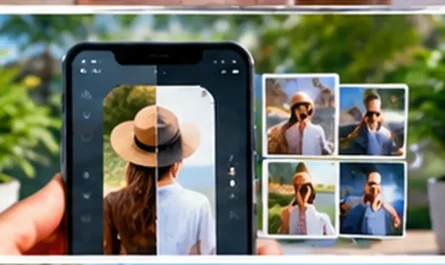
Visual: Content creator working with AI tools for writing, video and graphics.
Why Content Creators Are Using AI Tools
Creating quality content consistently can be difficult when one person has to handle research, scripting, recording, editing, thumbnails, captions and publishing. AI tools can reduce the time spent on repetitive tasks and help creators experiment with more ideas. However, AI should support creativity rather than replace it. Your experience, opinions, storytelling and understanding of your audience are still important. The smartest workflow is to use AI for research, brainstorming and production assistance while keeping human control over the final content. This approach can make a creator faster without making the content feel completely automated.
Visual: AI-assisted content workflow from idea to published post.

1. ChatGPT – Best Overall AI Tool for Creators
ChatGPT is one of the most versatile AI tools for content creators because it can support several parts of the workflow from one platform. Creators can use it for topic research, brainstorming, headlines, scripts, outlines, content calendars, repurposing and editing. It can also help analyze uploaded documents and images where supported. For YouTubers, bloggers and social-media creators, its biggest advantage is flexibility. Instead of using AI only for writing, you can use it as a creative assistant throughout the planning process. The best results usually come when creators provide their own ideas, examples and audience context rather than requesting generic content.
Best for: Ideas, scripts, research, headlines, content planning and repurposing.
2. Canva – Best for Graphics and Thumbnails
Canva is particularly useful for creators who need finished visual assets without advanced graphic-design skills. Its AI-powered features can assist with generating and editing images, creating designs and adapting content for different formats. The platform is especially valuable for YouTube thumbnails, Instagram posts, presentations, Pinterest graphics and social-media carousels. Canva’s biggest advantage is not necessarily having the strongest individual AI model. Instead, it combines AI capabilities with templates, editing tools and brand features in one workflow. That makes it easier to turn an initial idea into a publishable visual asset without switching between multiple applications.
For thumbnails, social media graphics and visual content, Canva AI provides AI-powered creative tools. Explore Canva AI
Best for: Thumbnails, social posts, presentations, graphics and visual branding.
Visual: Creator designing a YouTube thumbnail and social-media graphics in Canva.
3. Descript – Best for Podcast and Talking-Head Videos
Descript takes a different approach to video editing by allowing creators to work with a transcript rather than relying entirely on a traditional timeline. You can edit spoken content by changing the transcript, making it particularly useful for podcasts, interviews, tutorials and talking-head YouTube videos. AI-powered features can also help remove filler words, improve audio and create captions. This can save significant time when working with long recordings. However, Descript is less suitable when you need highly complex cinematic editing. For creators whose videos depend mainly on spoken content, its transcript-based workflow can be much faster than conventional editing.
Best for: Podcasts, interviews, tutorials and talking-head videos.
4. CapCut – Best for Short-Form Video
CapCut is a practical option for creators producing TikTok videos, Instagram Reels and YouTube Shorts. Its workflow is designed around fast editing, captions, effects, templates and vertical content. AI-powered features can help with tasks such as automatic captions and background removal, reducing the amount of manual editing required. The platform is particularly useful for creators who need to publish frequently. Instead of spending hours editing every short video from scratch, you can create a repeatable workflow using templates and reusable elements. Current creator comparisons continue to identify CapCut as one of the strongest options for accessible short-form video production.
Best for: YouTube Shorts, Reels, TikTok and fast social-video editing.
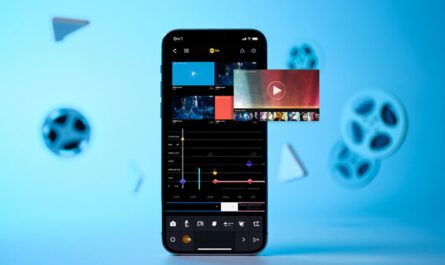
Visual: Smartphone and laptop showing an AI-assisted short-form video editing workflow.
5. Runway – Best for Generative Video
Runway is designed for creators who want to generate visual footage that would be difficult or expensive to film traditionally. Text-to-video and image-to-video workflows can help create cinematic shots, imaginative scenes, B-roll and experimental visuals. It can be particularly useful for advertisements, music videos, concept videos and storytelling. However, generative video should usually be treated as one component of a production rather than the entire workflow. Maintaining consistency between multiple generated shots can still require experimentation and editing. Current 2026 creator comparisons continue to position Runway as a leading option for generative video production.
For creators focused on AI-generated video, Runway offers generative video tools designed for creative workflows. Explore Runway
Best for: AI video generation, cinematic B-roll, creative scenes and visual experiments.
6. ElevenLabs – Best for AI Voiceovers
ElevenLabs is useful for creators who need narration, voiceovers or multilingual audio. AI-generated voices can be used for explainer videos, documentaries, educational content and other formats where recording every line manually is inconvenient. Voice technology can also make content localization easier when creators want to reach audiences in additional languages. However, creators should use voice cloning responsibly and ensure they have the necessary permission when using a real person’s voice. For creators who regularly produce narrated content, a dedicated AI voice platform can significantly reduce recording time while providing a consistent audio style.
ElevenLabs is another useful option for creating natural-sounding AI voiceovers and narration in multiple languages. Try ElevenLabs
Best for: Voiceovers, narration, dubbing and multilingual content.
Visual: Creator generating a professional AI voiceover for a video.
7. Adobe Firefly – Best for Commercial Visual Work
Adobe Firefly is worth considering for creators who already use Adobe’s creative ecosystem or work with brands that care about commercial workflows. It can assist with image generation and editing tasks and integrates into Adobe’s wider creative applications. This can be useful when AI-generated visuals need additional editing in Photoshop or other Adobe software. Firefly is especially attractive for professional creators who want AI generation within an established design workflow. As always, creators should review the current licensing and commercial-use terms of the specific plan and feature before using generated assets for client work.
Best for: Commercial graphics, image generation and Adobe workflows.
8. Claude – Best for Long-Form Content
Claude is another powerful option for creators who spend a large amount of time writing articles, newsletters, scripts or other long-form material. Its strength is handling lengthy text and maintaining consistency across a larger document. This can make it useful for writers who need to analyze source material, restructure drafts or improve the clarity of existing content. Rather than asking an AI to create an entire article from a short prompt, creators can provide their own research and perspective and use the model as an editing and brainstorming partner. That approach generally produces more distinctive content and reduces generic AI writing.
Best for: Articles, newsletters, scripts, editing and long-form writing.
9. OpusClip – Best for Repurposing Videos
Creators often spend significant time producing one long video and then manually turning it into multiple short clips. AI video-repurposing tools can reduce this workload by identifying potentially useful sections and preparing them for short-form platforms. OpusClip is designed around this type of workflow. It can be particularly useful for podcasts, interviews, webinars and educational videos where a single long recording contains multiple short ideas. The important step is still reviewing the generated clips before publishing. AI can identify potentially interesting sections, but human judgment is needed to decide whether a clip actually makes sense without the original context.
Best for: Turning long videos, podcasts and interviews into Shorts and Reels.
Visual: One long YouTube video being transformed into multiple short social clips.
10. VEED – Best for All-in-One AI Video Creation
VEED combines AI video creation with editing and branding features, making it useful for creators who want several video tasks in one platform. Its AI capabilities can assist with generating video content, while the editor can be used to add branding, captions and other finishing elements. This all-in-one approach can reduce the need to move files between different applications. VEED’s own 2026 guide highlights the advantage of combining generation, editing and branding within one workflow. For creators who want simplicity rather than a collection of specialized tools, this can be an attractive option.
Best for: Social videos, branded content, AI video creation and editing.
Best AI Tools for Content Creators Compared
| AI Tool | Best For | Main Strength |
|---|---|---|
| ChatGPT | All-round content | Ideas, research and scripts |
| Canva | Graphics | Thumbnails and visual content |
| Descript | Spoken video | Transcript-based editing |
| CapCut | Short videos | Fast social editing |
| Runway | Generative video | AI-generated scenes |
| ElevenLabs | Voice | Realistic narration |
| Adobe Firefly | Visual design | AI-assisted creative workflow |
| Claude | Writing | Long-form content |
| OpusClip | Repurposing | Long video to short clips |
| VEED | Video creation | Generation + editing |
Visual: Comparison of AI tools for writing, video, audio and visual content.
How to Use AI Tools for Content Creation: Step-by-Step
Step 1: Choose Your Content Format
Start by deciding what you create most often. A YouTuber, blogger, podcaster and Instagram creator will need different tools. If you mainly write articles, start with a writing and research assistant. If you produce videos, prioritize editing and video-generation tools. This prevents you from subscribing to unnecessary platforms.
Step 2: Plan the Content Before Generating It
AI should not decide everything for you. Begin with your topic, target audience, objective and key message. Then use an AI assistant to brainstorm headlines, angles, questions and supporting ideas. A clear content brief will usually produce better results than simply asking an AI tool to “create something viral.”
Step 3: Create the First Draft
Use the appropriate tool for the format. ChatGPT or Claude can help develop a script or article, Canva can create visual assets, Runway can generate video scenes and ElevenLabs can produce narration. Give the tool enough context about your audience and brand style.
Step 4: Add Your Own Perspective
This is one of the most important steps. Add personal experience, original examples, opinions, screenshots, demonstrations or research. AI-generated content can be technically polished but still feel generic. Your unique perspective is what helps distinguish your content from thousands of similar AI-assisted posts.
Step 5: Edit and Fact-Check
Never publish important AI-generated information without reviewing it. Check names, dates, statistics, links and technical claims. For articles and educational content, verify important facts against reliable sources. For videos, check captions, pronunciation, transitions and visual consistency.
Step 6: Repurpose the Finished Content
One piece of content can become multiple assets. A YouTube video can become Shorts, an article, social posts, a newsletter and an infographic. AI tools can accelerate this process considerably. Repurposing allows creators to increase their reach without creating every piece completely from scratch.
Visual: One long-form content piece being repurposed into multiple social formats.
Step 7: Analyze What Works
Finally, look at your performance data. Identify which topics receive views, clicks, comments, shares or conversions. Then use those insights to improve the next content cycle. AI can help analyze patterns, but you should make the final strategic decisions. The objective is not simply to produce more content; it is to produce better content that supports your goals.
How Many AI Tools Does a Creator Actually Need?
Most creators do not need ten different subscriptions. A practical starter stack can consist of one general AI assistant, one design tool and one video editor. For example, ChatGPT can handle ideas and writing, Canva can handle graphics, and CapCut can handle short-form video. As your workflow develops, add specialized tools only when you encounter a specific limitation.
Current creator-tool research similarly suggests that different tools are strongest at different production stages rather than one application dominating every category.
Visual: Minimal three-tool AI stack for a solo content creator.
5 Useful Internal Resources
If you want to expand your content-creation workflow, these related V4Online guides are useful:
- LumaFusion: The Professional Mobile Video Editing Powerhouse
- VN Video Editor: The Ultimate Free Editing App for Content Creators
- How to Enhance a Photo With ChatGPT?
- Free Courses to Learn New Skills Online
- Use This Super App to Increase Your Sales!
Final Verdict
The best AI tools for content creators in 2026 are not necessarily the platforms with the most impressive demonstrations. The best tool is the one that removes a specific bottleneck in your workflow. ChatGPT and Claude are strong choices for ideas and writing, Canva is excellent for visual content, CapCut and Descript simplify video editing, Runway can create difficult-to-film scenes, ElevenLabs handles voice, and OpusClip can accelerate content repurposing.
The smartest strategy is to start with a small toolkit rather than paying for every new AI platform. Use AI to save time on repetitive work while keeping your creativity, experience and editorial judgment in control. When those elements work together, AI becomes more than a content generator—it becomes a powerful production assistant that can help you create consistently and scale your content workflow.
Frequently Asked Questions
What are the best AI tools for content creators in 2026?
Some of the strongest options include ChatGPT for general content work, Canva for graphics, Descript for spoken-video editing, CapCut for short-form content, Runway for generative video, ElevenLabs for voiceovers and OpusClip for repurposing long videos. The right combination depends on the type of content you create.
Which AI tool is best for YouTube creators?
ChatGPT is useful for research, scripts and titles, while Canva is excellent for thumbnails. Descript can simplify talking-head and podcast editing, and CapCut is useful for creating Shorts. Creators who need AI-generated visual scenes can add Runway to the workflow.
What is the best free AI tool for content creators?
There is no universal winner, but CapCut and Canva offer particularly useful free workflows for creators. ChatGPT also provides useful free access for brainstorming, writing and learning, although usage limits can apply.
Can AI create content automatically?
AI can generate drafts, images, videos, voiceovers and other assets, but completely automated content often needs human review. Creators should check accuracy, originality, brand consistency and quality before publishing. AI works best as a production assistant rather than an unattended publishing machine.
How can AI help YouTubers?
AI can help YouTubers research topics, generate ideas, write scripts, create thumbnails, edit videos, generate captions, produce voiceovers and turn long videos into Shorts. A creator can therefore use several AI tools across the entire YouTube workflow while keeping the final creative direction under human control.
Should content creators pay for multiple AI tools?
Not necessarily. Start with one general-purpose AI assistant and one or two tools that solve your biggest production problems. Add additional subscriptions only when they provide a clear improvement in quality or save enough time to justify the cost.