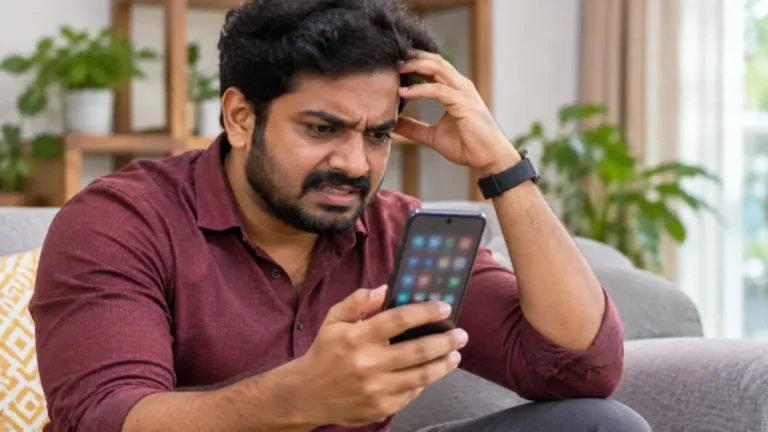
Forgot your UPI PIN, or want to change it for safety? You can reset UPI PIN in a few minutes from Google Pay, PhonePe, Paytm, BHIM or your bank’s app. All you need is your phone with the bank-linked SIM, and either your debit card details or Aadhaar OTP.
This easy guide explains how to reset UPI PIN step by step in every major app, how to change a PIN you still remember, what to do when the OTP does not arrive, and how to keep your PIN safe from fraud.
Reset UPI PIN: Quick Overview
| Item | Details |
|---|---|
| What is UPI PIN | A 4 or 6 digit secret number that approves every UPI payment |
| When to reset | Forgot PIN, PIN blocked after wrong attempts, or suspected leak |
| Methods | Debit card details or Aadhaar OTP (if your bank supports it) |
| Apps | Google Pay, PhonePe, Paytm, BHIM, bank apps |
| Time needed | 2 to 5 minutes |
| Fee | Free |
What Is a UPI PIN?
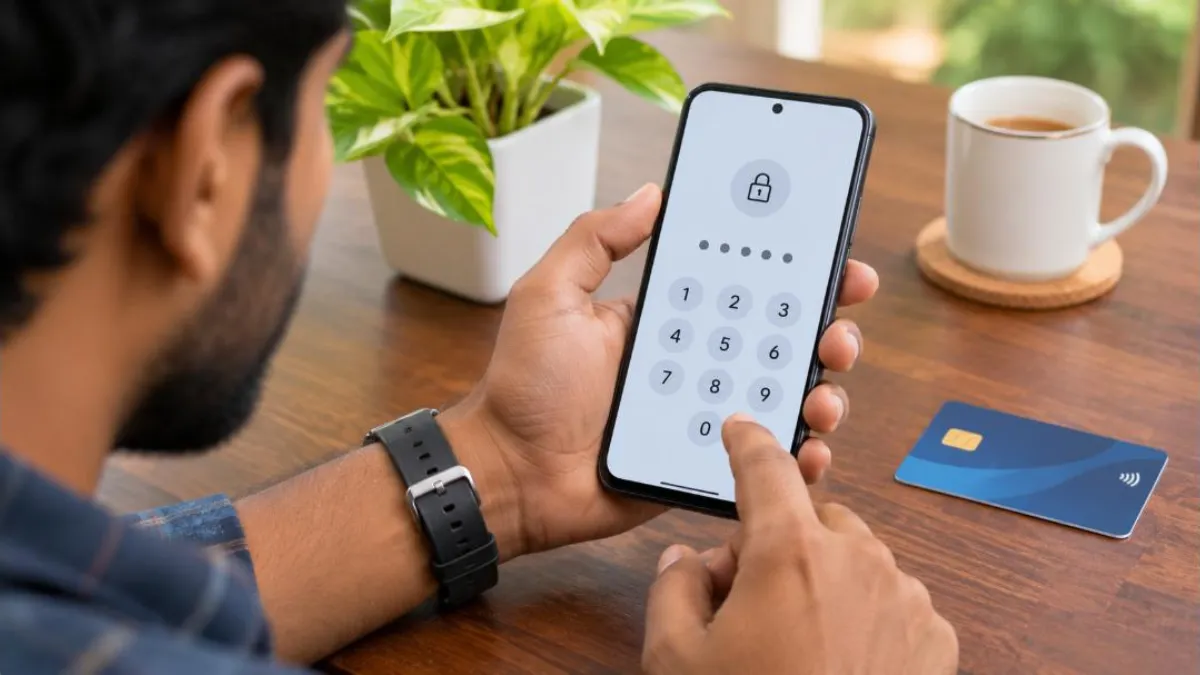
A UPI PIN (Unified Payments Interface Personal Identification Number) is a secret code you set for each bank account linked to a UPI app. Every time you send money or check your balance, the app asks for this PIN. Without it, no payment can go through.
UPI is run by the National Payments Corporation of India (NPCI). Your PIN is verified by your bank, not by the app. This is why you need bank-level verification (debit card or Aadhaar) when you reset UPI PIN.
Forgot vs Change: Two Different Options
- Change UPI PIN: You remember the old PIN and want a new one. You enter the old PIN, then the new PIN. No card details needed.
- Forgot UPI PIN (reset): You do not remember the old PIN. You verify yourself with debit card details or Aadhaar OTP and set a fresh PIN.
Most people search for how to reset UPI PIN after forgetting it, so the steps below focus on the “Forgot UPI PIN” option. Change steps are covered later.
What You Need to Reset UPI PIN
- Your smartphone with the SIM card of the mobile number registered with the bank.
- Active mobile data or Wi-Fi.
- Your debit card: the last 6 digits of the card number and the expiry date (month and year).
- Or your Aadhaar number linked to both your bank account and mobile number, if you choose the Aadhaar OTP method.
- Access to SMS for the OTP from your bank.
The SIM must be in the same phone. UPI apps verify your device by sending an SMS from that SIM. If you use dual SIM, choose the correct SIM slot in the app.
How to Reset UPI PIN in Google Pay
- Open Google Pay and tap your profile picture at the top right.
- Tap Bank accounts and select the account for which you want to reset UPI PIN.
- Tap Forgot UPI PIN.
- Choose debit card or Aadhaar (if shown). For debit card, enter the last 6 digits and expiry date.
- Enter the OTP sent by your bank. Google Pay may read it automatically.
- Enter your new PIN, then confirm it.
- You will see a success message. Use the new PIN for your next payment.
How to Reset UPI PIN in PhonePe
- Open PhonePe and tap your profile icon.
- Go to Payment Methods > Bank Accounts.
- Select the bank account.
- Tap Reset next to UPI PIN, or Forgot UPI PIN.
- Verify using debit card details or Aadhaar OTP.
- Enter the bank OTP and set your new 4 or 6 digit PIN.
- Confirm the PIN to finish.
How to Reset UPI PIN in Paytm
- Open Paytm and tap the profile icon at the top left.
- Tap UPI & Payment Settings.
- Select your bank account and tap Reset UPI PIN or Forgot UPI PIN.
- Enter debit card details or choose Aadhaar.
- Enter the OTP and set the new PIN.
How to Reset UPI PIN in BHIM
- Open BHIM and go to Bank Account.
- Select the account and tap Forgot UPI PIN.
- Enter debit card details and OTP.
- Set the new PIN and confirm.
How to Reset UPI PIN Using Aadhaar OTP (Without Debit Card)
Many people do not have a debit card or have lost it. NPCI allows banks to offer Aadhaar-based verification to set or reset UPI PIN. If your bank supports it, the app will show an Aadhaar option on the verification screen.
- Make sure your Aadhaar is linked to your bank account and your mobile number is linked to Aadhaar.
- In your UPI app, select the bank account and tap Forgot UPI PIN.
- Choose Aadhaar as the verification method.
- Enter the first 6 digits of your Aadhaar and give consent.
- Enter the OTP received from UIDAI on your Aadhaar-linked mobile.
- Enter the OTP from your bank, if asked.
- Set and confirm the new UPI PIN.
If you do not see the Aadhaar option, your bank may not support it yet. In that case, use the debit card method or visit the bank.

How to Change UPI PIN (When You Remember the Old One)
- Open your UPI app and go to bank account settings.
- Tap Change UPI PIN.
- Enter your current PIN.
- Enter the new PIN and confirm it.
Changing the PIN every few months is a good habit, especially if someone may have seen you type it.
UPI PIN Blocked After Wrong Attempts
If you enter the wrong PIN several times, your bank may temporarily block UPI for that account, usually for about 24 hours. During this time, payments fail with a message like “number of PIN tries exceeded”.
What to do:
- Wait for the block period to end, then try again with the correct PIN.
- Or reset UPI PIN using the “Forgot UPI PIN” option once the block is lifted.
- If the problem continues, call your bank’s customer care.
Common Problems When You Reset UPI PIN
| Problem | Likely cause | Solution |
|---|---|---|
| OTP not received | Weak network, wrong SIM, DND or SMS blocked | Restart phone, check signal, keep the bank SIM in slot 1, wait 2 minutes and retry |
| “Invalid card details” | Wrong last 6 digits or expiry | Check the card carefully; make sure the card is active and linked to that account |
| Card expired or blocked | Old or hot-listed card | Use Aadhaar method or request a new debit card |
| “Mobile number not registered” | Bank has a different number | Update mobile number at the bank branch or via net banking |
| Bank server error | Temporary issue at bank | Try after some time; avoid repeated attempts |
| Aadhaar option missing | Bank does not support it | Use debit card or visit branch |
Is It Safe to Reset UPI PIN?
Yes, as long as you do it yourself inside the official app. Your card details and OTP go through secure bank channels. But fraudsters often use the “PIN reset” story to trick people. Remember these rules:
- Never share your UPI PIN with anyone, including people claiming to be bank staff, delivery agents or customer care.
- You never need to enter your PIN to receive money. If someone asks you to enter your PIN to “receive” a refund or prize, it is a scam.
- Do not install screen-sharing apps on request from strangers.
- Do not share OTPs or card details over phone calls or chats.
- Use only official app stores to download UPI apps.
If you have already lost money, report it immediately. Our guide on UPI fraud complaint explains how to report to your bank and on the cybercrime portal. You can also call the national cybercrime helpline 1930.

Tips to Choose a Strong UPI PIN
- Avoid simple sequences like 1234, 0000 or 1111.
- Do not use your birth year, phone number or vehicle number.
- Use a 6 digit PIN if your bank allows it; it is harder to guess.
- Use different PINs for different bank accounts.
- Cover the keypad when you enter the PIN in public places.
Reset UPI PIN for Different Banks
The process to reset UPI PIN is the same across banks because it follows NPCI rules. Only the screens differ slightly. Here is what to expect:
| Bank type | Debit card method | Aadhaar OTP method |
|---|---|---|
| Large public sector banks | Available | Available at many banks |
| Large private banks | Available | Available at many banks |
| Small finance and payments banks | Available if card issued | Varies by bank |
| Cooperative banks | Depends on UPI support | Varies by bank |
If your bank’s own mobile banking app supports UPI, you can also reset UPI PIN there. The steps are usually under “UPI” > “Manage” > “Set/Reset PIN”.
Reset UPI PIN After Changing Phone or SIM
When you move to a new phone, you must register your UPI app again. The app sends an SMS from your SIM to verify the device. After that, your linked accounts show up. If you remember the PIN, you can continue using it. If not, use “Forgot UPI PIN”.
If you changed your mobile number, first update the new number with your bank. Only then can you register UPI on the new number and set a PIN.
Reset UPI PIN for UPI Lite and Credit Card on UPI
UPI Lite lets you make small payments without a PIN, from a wallet balance on your phone. The PIN is still needed to add money to UPI Lite. Learn more in our UPI Lite guide.
For RuPay credit cards linked to UPI, the PIN is set with the credit card details. To reset UPI PIN for a credit card, select the card in the app and follow the “Forgot UPI PIN” flow using the credit card’s last 6 digits and expiry.
Step-by-Step Checklist Before You Reset UPI PIN
- Keep your debit card in hand or confirm Aadhaar-mobile linking.
- Insert the bank-registered SIM in your phone.
- Turn on mobile data; some apps need SMS sending from the SIM.
- Update your UPI app to the latest version.
- Have balance in your SMS pack if your plan charges for SMS.
- Choose a new PIN you can remember but others cannot guess.
What Happens to Your Money When You Reset UPI PIN?
Nothing changes in your bank balance when you reset UPI PIN. The PIN is only a key. Your account, linked UPI IDs, transaction history and pending refunds stay the same.
Some banks may apply a short cooling period after a PIN reset, during which the amount you can send is limited. This is a safety measure to protect you in case someone else reset the PIN. Normal limits return after the cooling period.
How to Reset UPI PIN on a Feature Phone (UPI 123PAY)
If you use a basic keypad phone, you can still use UPI through UPI 123PAY options such as IVR calls or missed calls offered by banks and service providers. To set or reset UPI PIN on these services:
- Call the IVR number listed by your bank or UPI 123PAY provider from your bank-registered mobile number.
- Choose the option to set or reset UPI PIN.
- Enter the last 6 digits of your debit card and expiry date when asked.
- Enter the OTP and set your new PIN using the keypad.
Check your bank’s website for the official UPI 123PAY number. Never call numbers shared by strangers.
Reset UPI PIN for a Joint or Minor Account
For joint accounts, UPI usually works only if the account mode of operation allows “either or survivor” and the mobile number registered is yours. Minor accounts may have restricted UPI access depending on the bank’s rules. If the forgot PIN option fails for these accounts, visit the branch to update the account settings.
When to Visit the Bank Branch
- Your mobile number is not updated with the bank.
- Your debit card is not issued, expired or blocked, and Aadhaar OTP is not supported.
- Your account is frozen or KYC is pending.
- You suspect someone else changed your PIN or mobile number.
Carry your passbook, Aadhaar and phone. After the bank updates your details, you can reset UPI PIN from the app the same day in most cases.
Real Example
Anu, a college student in Kochi, forgot her PIN after not using Google Pay for months. Her debit card had expired. Her bank supported Aadhaar OTP, so she selected “Forgot UPI PIN”, chose Aadhaar, entered the OTPs and set a new 6 digit PIN in under three minutes. She then ordered a new debit card from the bank app as a backup.
Keep a Backup Payment Option
While you sort out a PIN problem, it helps to have a second way to pay. Keep a small amount of cash for emergencies, link a second bank account to your UPI app, or carry your debit card for card payments at shops. This way, a forgotten PIN or a temporary bank block will not leave you stuck at a petrol pump, hospital or bus stand.
Also save your bank’s official customer care number in your contacts. When something goes wrong, you can call the real number directly instead of searching online, where fake helpline numbers are a common trap.
Frequently Asked Questions
Can I reset UPI PIN without a debit card?
Yes, if your bank supports Aadhaar OTP verification. Your Aadhaar must be linked to your bank account and mobile number.
Is there any charge to reset UPI PIN?
No. Resetting or changing a UPI PIN is free.
How many digits is a UPI PIN?
It is 4 or 6 digits, depending on your bank.
Will resetting the PIN in Google Pay change it in PhonePe too?
Yes. The PIN belongs to your bank account, not the app. A new PIN set in one app works in all UPI apps for that account.
Why is my OTP not coming?
Check network signal, SIM slot, SMS blocking apps and whether your mobile number is updated with the bank.
Can bank staff ask for my UPI PIN?
Never. No genuine bank or app employee will ask for your PIN, OTP or card details.
Conclusion
You can reset UPI PIN in minutes from any UPI app using your debit card or Aadhaar OTP. Keep your bank-registered SIM in your phone, choose a strong PIN, and never share it with anyone. If payments fail after wrong attempts, wait for the block to clear and then reset the PIN calmly.