by
by A Kerala Death Certificate Download can now be done online for deaths registered with any local body in the state. A death certificate is required for insurance claims, pension transfer, bank account closure, property mutation and succession matters. Earlier, families had to visit the panchayat or municipal office several times to get a copy. Today, the Local Self Government Department provides digitally signed certificates through its K-SMART platform, which can be downloaded and printed from home.
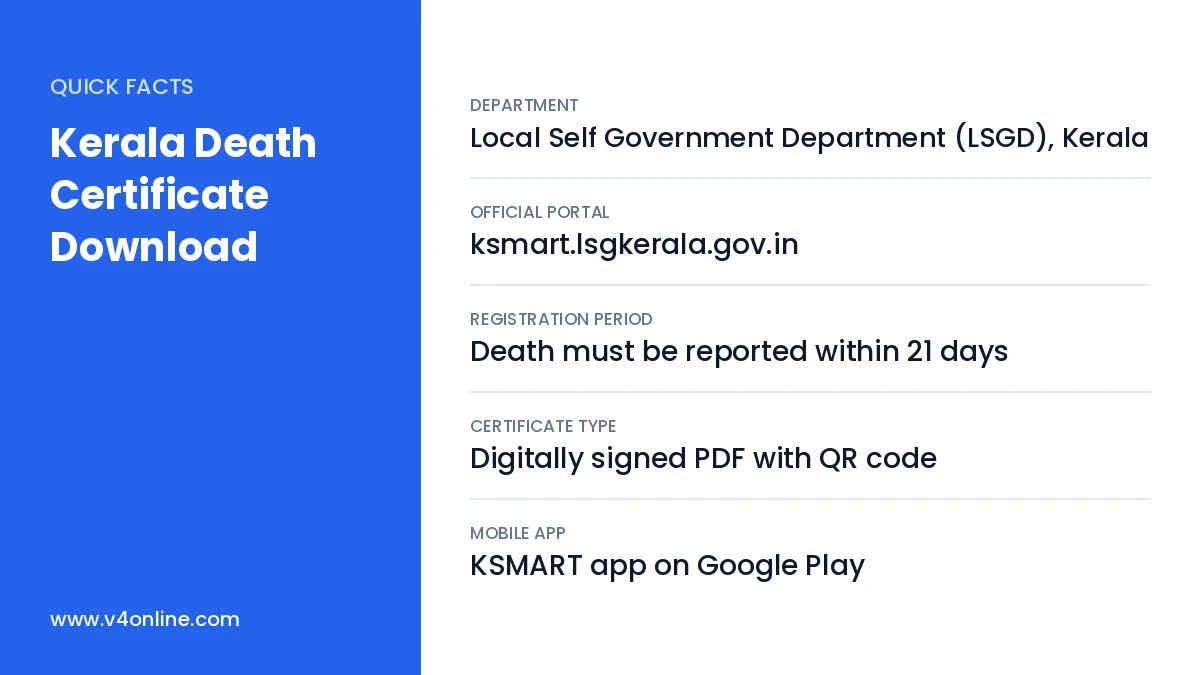
| Department | Local Self Government Department (LSGD), Kerala |
|---|---|
| Official Portal | ksmart.lsgkerala.gov.in |
| Registration Period | Death must be reported within 21 days |
| Certificate Type | Digitally signed PDF with QR code |
| Mobile App | KSMART app on Google Play |
How Death Registration Works in Kerala
Every death that happens in Kerala must be registered with the local body where it occurred, such as the grama panchayat, municipality or corporation. When a death happens in a hospital, the hospital reports it. For deaths at home, a family member reports it to the local body with required details. After registration, the local body records the event in the civil registration system, and certificates for that record become available for download.
Details Required for Kerala Death Certificate Download
- Name of the local body where the death was registered.
- Date of death as recorded.
- Name of the deceased, and sometimes the name of the father, mother or spouse.
- Registration number and year, if available, for faster search.
- Gender and place of death.
If you do not know the registration number, you can still search using the name, date and local body, though the results may show several records to choose from.
Kerala Death Certificate Download: Step-by-Step
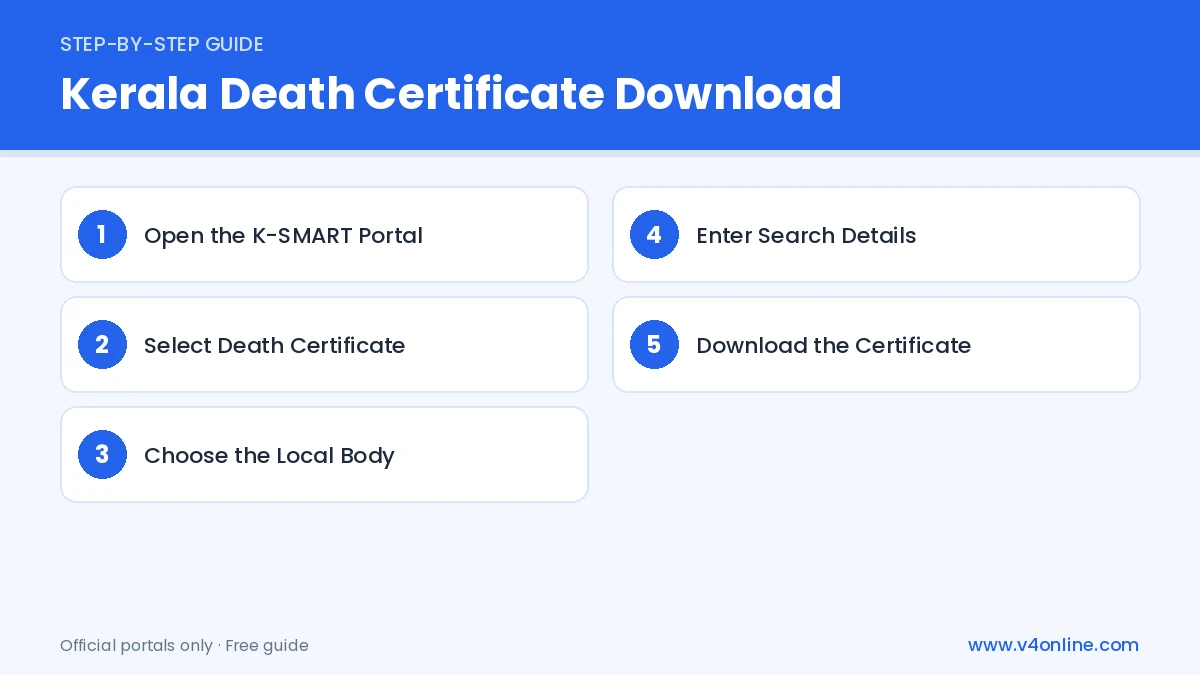
Step 1: Open the K-SMART Portal
Visit ksmart.lsgkerala.gov.in in your browser. On the home page, look for the quick services or certificate search option. You do not need to log in for a quick certificate search in most cases.
Step 2: Select Death Certificate
Choose “Death Certificate” from the list of civil registration services. A search form will open with fields for the local body and the event details.
Step 3: Choose the Local Body
Select the district and then the local body type, such as grama panchayat, municipality or corporation. Pick the exact local body where the death was registered, not the place where the family lives now.
Step 4: Enter Search Details
Enter the date of death, the name of the deceased and the gender. If you have the registration number and year, enter them for an exact match. Fill in the captcha and click “Search”.
Step 5: Download the Certificate
From the results, select the correct record after checking the name and parents’ or spouse’s name. Click “Download” or “View Certificate”. The digitally signed PDF will open, and you can save and print it.
Validity of the Downloaded Certificate
A certificate downloaded from K-SMART carries a digital signature and a QR code. Any office can scan the QR code or check the certificate number online to confirm that it is genuine. Because of this, a printed copy of the downloaded certificate is accepted by banks, insurance companies and courts, and you usually do not need a separate attested copy from the local body.
What If the Record Is Not Found?
Older deaths may not be fully digitised, or the name may be spelled differently in the register. Try different spellings, or search using only the date and local body. If the record still does not appear, contact the Registrar at the local body office with the details. They can digitise the entry or issue a certified copy. For late registrations beyond one year, an order from the competent authority may be required, and the local body will guide you on it.
Using the KSMART Mobile App
You can also install the KSMART app from Google Play. Log in with your mobile number and OTP, open civil registration services and search for the death record. The app is useful when you want to download or share the certificate quickly from your phone. The same K-SMART system also provides birth and marriage certificates; see our birth certificate download online guide for details.
Documents Needed for Registering a Death
If a death has not been registered yet, the family must report it to the local body first. Keep the hospital death report or medical certificate of cause of death, the Aadhaar card of the deceased, the informant’s ID proof and address details ready. Registration within 21 days is free. Once the registration is done, the record becomes available for Kerala Death Certificate Download, usually within a few days.
Frequently Asked Questions
Is Kerala Death Certificate Download free?
Searching and downloading a registered certificate online is generally free.
Who can download the certificate?
Family members and anyone with the correct registration details can search and download it.
Is a downloaded copy valid for insurance claims?
Yes. Digitally signed certificates with a QR code are accepted as valid.
Conclusion
Kerala Death Certificate Download is quick when the death is registered on time. Kerala Death Certificate Download through K-SMART saves grieving families from extra office visits at a difficult time. Keep the local body name, date of death and registration number ready, search carefully and save the PDF safely. If you also need an income certificate online for a pension or family benefit, apply for it through e-District.