by
by Kerala Ration Card Online Apply lets families get a new ration card without long queues at the Taluk Supply Office. A ration card is not only needed for subsidised rice, wheat and kerosene; it is also used as address proof and as a family record for many welfare schemes, scholarships and certificates. The Kerala Civil Supplies Department accepts new applications through its e-Citizen portal and through Akshaya centres. This guide explains the eligibility, documents and full online process.

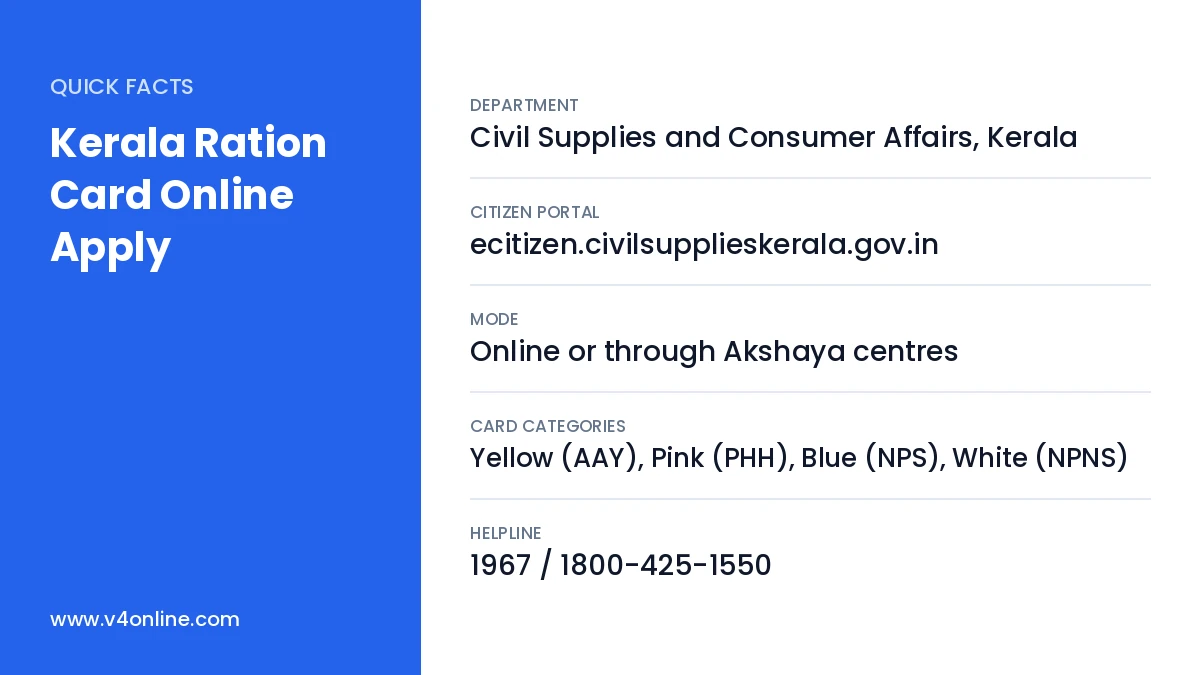
| Department | Civil Supplies and Consumer Affairs, Kerala |
|---|---|
| Citizen Portal | ecitizen.civilsupplieskerala.gov.in |
| Mode | Online or through Akshaya centres |
| Card Categories | Yellow (AAY), Pink (PHH), Blue (NPS), White (NPNS) |
| Helpline | 1967 / 1800-425-1550 |
Who Is Eligible for a New Ration Card?
Any family living permanently in Kerala that does not already have a ration card can apply. Newly married couples who want a separate card, families who moved from another state, and members who want to split from a large joint card are also eligible. A person cannot be included in two ration cards at the same time, so members moving from an old card must first get a reduction or surrender certificate from their previous Taluk Supply Office.
Documents Required for Kerala Ration Card Online Apply
- Aadhaar card of all family members.
- Passport-size photo of the head of the family (in Kerala, the eldest woman is usually the head).
- Income certificate from the village office.
- Residence proof such as a building ownership certificate, property tax receipt or rent agreement.
- Reduction or non-inclusion certificate if members were earlier in another card.
- Bank passbook of the head of the family and electricity bill, if available.
Kerala Ration Card Online Apply: Step-by-Step
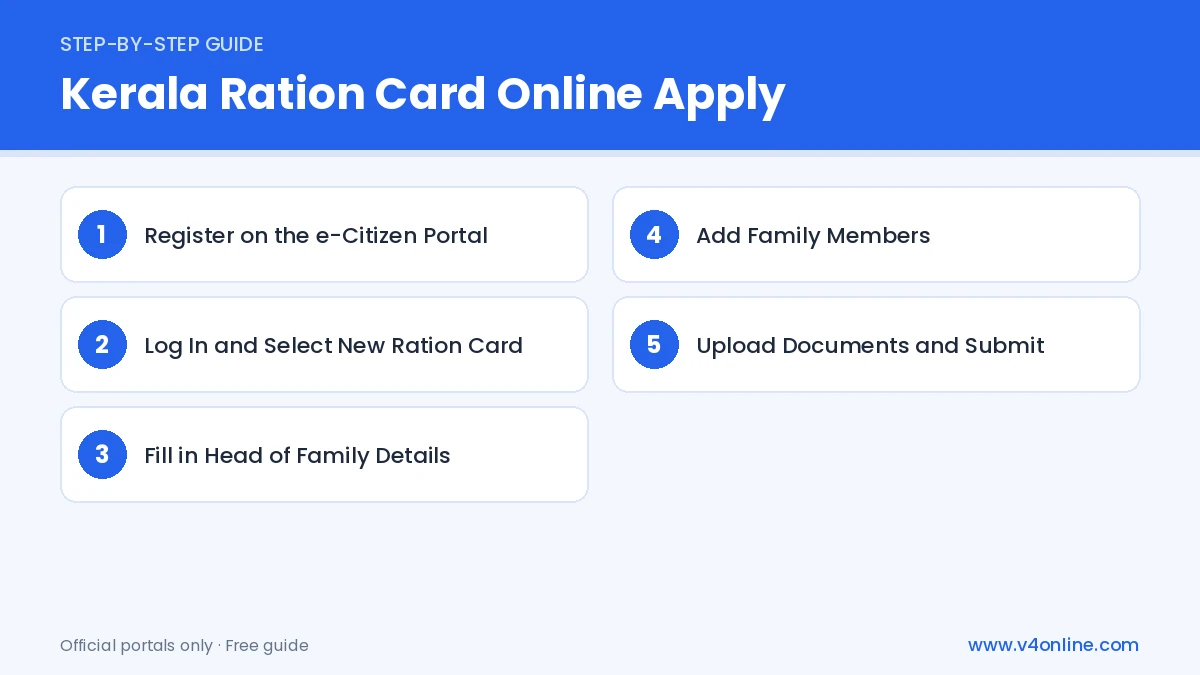
Step 1: Register on the e-Citizen Portal
Visit ecitizen.civilsupplieskerala.gov.in and click “Create Account”. Enter your name, mobile number and email, verify the OTP and set a password. This account will store all your ration card applications and updates.
Step 2: Log In and Select New Ration Card
Log in with your username and password. From the list of services, choose “New Ration Card”. Read the instructions and the list of documents shown on the screen before starting the form.
Step 3: Fill in Head of Family Details
Enter the name, age, gender, Aadhaar number and occupation of the head of the family. Fill in the complete address with house number, ward, panchayat or municipality, village, taluk and PIN code. Select the nearest ration shop (ARD) from the list.
Step 4: Add Family Members
Add every member one by one, entering the name, relationship, date of birth, Aadhaar number and monthly income. Also fill in details such as house size, land ownership, vehicle and electricity connection, because these decide the category of your card.
Step 5: Upload Documents and Submit
Upload the photo and scanned documents in the required size and format. Preview the whole application, correct any errors and click “Submit”. Pay the small application fee if shown, then download the acknowledgement with your application number.
What Happens After You Apply?
After a Kerala Ration Card Online Apply request is submitted, the application goes to the Taluk Supply Office. A Rationing Inspector checks the documents and may visit your house to confirm the details. Based on income, property and other factors, the card is placed in one of the four categories. Once approved, you can download the digital card or collect the printed card from the Taluk Supply Office. You can track progress using our guide on Kerala ration card status check.
How Card Categories Are Decided
Yellow cards (Antyodaya Anna Yojana) go to the poorest families. Pink cards are for priority households. Blue cards are non-priority subsidy cards, and white cards are non-priority, non-subsidy cards. Families that own large houses, four-wheelers, or have members in government service usually fall under non-priority categories. If your family’s situation changes, you can later apply for category conversion.
Common Mistakes to Avoid
Do not include a member who is already listed in another card. Do not hide income or property details, because false information can lead to cancellation and penalty. Upload clear documents and use a working mobile number. If you lose the card later, read our guide on how to apply for a duplicate ration card.
Applying Through an Akshaya Centre
If you are not comfortable with online forms, visit the nearest Akshaya centre with original documents. The operator fills the form, scans the documents and submits the application on your behalf for a small service charge. You will get a printed acknowledgement with the application number. The process after submission is the same as for a Kerala Ration Card Online Apply request made from home.
Frequently Asked Questions
Can I do Kerala Ration Card Online Apply from my phone?
Yes. The e-Citizen portal works on mobile browsers, though a computer is easier for uploading documents.
How long does it take to get the card?
It generally takes a few weeks, depending on field verification.
Can newly married couples get a separate card?
Yes, after getting a reduction certificate from their earlier ration cards.
Conclusion
Kerala Ration Card Online Apply is simple when your documents are ready. Register on e-Citizen, fill in the family details honestly, upload clear documents and keep your application number safe. Once the card is issued, you can use it for monthly rations and as proof for many other government services.