
Losing a smartphone is stressful. It holds your photos, contacts, WhatsApp chats, UPI apps and work files. The good news is that you can often find lost phone devices quickly using built-in tools like Google Find My Device and Apple Find My, and you can block a stolen phone across all networks in India through the government’s CEIR system on Sanchar Saathi.
This guide shows how to find lost phone devices step by step on Android and iPhone, what to do in the first 30 minutes, how to protect your UPI and bank accounts, how to block the phone and how to recover it.

Find Lost Phone: First 30 Minutes Checklist
| Minute | Action |
|---|---|
| 0–5 | Call your number from another phone; check nearby places |
| 5–10 | Open Google Find My Device or Apple Find My from another device and locate the phone |
| 10–15 | Lock the phone remotely and show a contact message |
| 15–20 | Block UPI and bank access by calling banks; change important passwords |
| 20–25 | Ask your telecom operator to block the SIM and issue a duplicate |
| 25–30 | File a police complaint and report on Sanchar Saathi (CEIR) if stolen |
How to Find Lost Phone on Android (Google Find My Device)
Most Android phones signed in with a Google account have Find My Device turned on by default.
- On a computer or another phone, open Google Find My Device or install the Find My Device app.
- Sign in with the same Google account used on the lost phone.
- Select the lost phone from the list.
- See its last known location on the map (if the phone is on, connected and location is enabled).
- Choose Play sound to ring the phone even on silent.
- Choose Secure device to lock it and show a message with an alternate contact number.
- As a last resort, choose Factory reset device to erase data. After erasing, you may not be able to locate it any more.
Newer Android versions also support finding devices through Google’s Find My Device network, which can locate some phones even when offline using nearby Android devices, depending on settings and model.
How to Find Lost Phone on iPhone (Apple Find My)
- Open the Find My app on another Apple device or visit iCloud.com/find on a browser.
- Sign in with your Apple ID.
- Select the missing iPhone to see its location.
- Use Play Sound if it is nearby.
- Turn on Mark As Lost to lock the device, display a message and suspend Apple Pay.
- Use Erase This Device only if you believe it cannot be recovered.
iPhones can often be located through the Find My network even when offline, using nearby Apple devices.
Samsung Users: Find My Mobile / SmartThings Find
Samsung phones also offer Samsung’s own service (SmartThings Find) if you signed in with a Samsung account. It can locate, ring, lock, back up data and extend battery life remotely on supported models.

Block a Stolen Phone With CEIR (Sanchar Saathi)
If your phone is stolen, the Government of India’s Central Equipment Identity Register (CEIR), available through the Sanchar Saathi portal, lets you block the phone’s IMEI so it cannot be used on any Indian mobile network. If someone tries to use it with a new SIM, it can be traced.
- File a police complaint (FIR or online lost report) and note the complaint number.
- Get a duplicate SIM for your number from your operator.
- Visit Sanchar Saathi and choose “Block your lost/stolen mobile handset”.
- Enter phone details: IMEI numbers, brand, model, purchase invoice (if available).
- Enter loss details: place, date, police station and complaint number.
- Enter owner details and verify with OTP on your mobile number.
- Submit and save the request ID.
When you recover the phone, use the same portal to unblock it. Read our detailed guide on the Sanchar Saathi app.
How to Find Your IMEI Number
- On the phone box or purchase invoice.
- In your Google account’s device details (sometimes).
- Dial *#06# on the phone (useful to note now, before any loss).
- In Settings > About phone.
Save your IMEI numbers in a safe place today, so you have them ready if you ever need to find lost phone devices or block them.
Protect Your Money and Accounts
- Call your bank’s helpline to block UPI and mobile banking on the lost device.
- Log out of Google Pay, PhonePe and Paytm by changing your UPI PIN or contacting the app support; see our guide on how to reset UPI PIN.
- Change your Google or Apple ID password and remove the lost device from your account.
- Log out of WhatsApp by re-registering your number on a new phone with the duplicate SIM.
- Change passwords for email, social media and shopping apps.
- Watch your bank statements for unusual transactions.
File a Police Complaint
For theft, report to the local police station or use the online lost property reporting facility of your state police. The complaint number is needed for CEIR blocking and insurance claims. If financial fraud happens through the lost phone, also report to the cybercrime helpline 1930 or cybercrime.gov.in.
Why Location May Not Show
Sometimes you cannot find lost phone devices on the map. Common reasons:
- The phone is switched off or the battery is dead.
- Location services were turned off.
- No internet connection (mobile data and Wi-Fi off).
- The phone was factory reset by the thief.
- Find My Device was disabled or the account was removed.
In such cases, the last known location may still help. Keep checking periodically, because the phone may come online later. Meanwhile, block the SIM and IMEI.
Set Up Your Phone Today So You Can Find It Tomorrow
- Make sure you are signed in to your Google account or Apple ID.
- Turn on Find My Device (Android) or Find My iPhone (iOS).
- Keep location services enabled.
- Enable offline finding features where available.
- Set a strong screen lock (PIN, pattern, fingerprint or face).
- Turn on automatic backup of photos and contacts.
- Note your IMEI numbers and keep the purchase invoice safe.
- Add an emergency contact or lock-screen message with an alternate number.
Find Lost Phone Using Your Smartwatch or Earbuds
If you own a smartwatch paired with your phone, use its “Find phone” feature to ring the phone when it is nearby. Some earbuds and smart tags also help locate devices within Bluetooth range. These are useful when the phone is lost somewhere at home or in the car.
What Not to Do
- Do not try to confront thieves yourself; inform the police.
- Do not trust calls or messages claiming to return your phone for money.
- Do not share OTPs with anyone claiming to help recover your phone.
- Do not pay “unlock” or “tracking” services advertised online; many are scams.
Find Lost Phone at Home or Office
Many “lost” phones are simply misplaced. Before panicking, try these quick tricks to find lost phone devices nearby:
- Ask Google Assistant on another device or a smart speaker to ring your phone.
- Use Find My Device’s “Play sound”, which rings at full volume even in silent mode.
- Check sofa gaps, bags, car seats, bathroom shelves and kitchen counters.
- Retrace your steps over the last hour.
- Ask family members to call while you listen in each room.
Find Lost Phone in Public Places
If you left your phone in a bus, train, taxi, restaurant or shop:
- Call your number immediately; an honest finder may answer.
- Contact the bus depot, railway lost-and-found, cab company or shop.
- Use ride-hailing apps’ lost item feature to contact the driver.
- Show a lock-screen message with an alternate number using Find My Device.
Kerala KSRTC depots and railway stations maintain lost property counters where found items are deposited.
Find Lost Phone Using Google Timeline
If location history (Timeline) was enabled on your Google account, it may show where your phone was before it went offline. On newer Android versions, Timeline data is stored on the device, so it may not be available from another device. Check your settings today to understand what is saved and where.

Insurance and Warranty
If your phone is insured, inform the insurer quickly and keep the police complaint, invoice and IMEI details ready. Many policies require claims within a short time. Credit card purchase protection and bank-linked insurance may also cover theft in some cases; check your terms.
Data Recovery After Loss
If you had backups, sign in on a new phone with the same Google account or Apple ID to restore contacts, photos (Google Photos/iCloud), app data and WhatsApp chats. Without backups, data on a lost phone usually cannot be recovered. This is why regular backups are essential even if you never expect to lose your phone.
Family Safety Tips
Help elderly parents and children set up Find My features and screen locks. Add a trusted family member’s Google account to the Family Link or family sharing features so you can help them find lost phone devices quickly. Save their IMEI numbers along with yours in a secure note.
Real Example
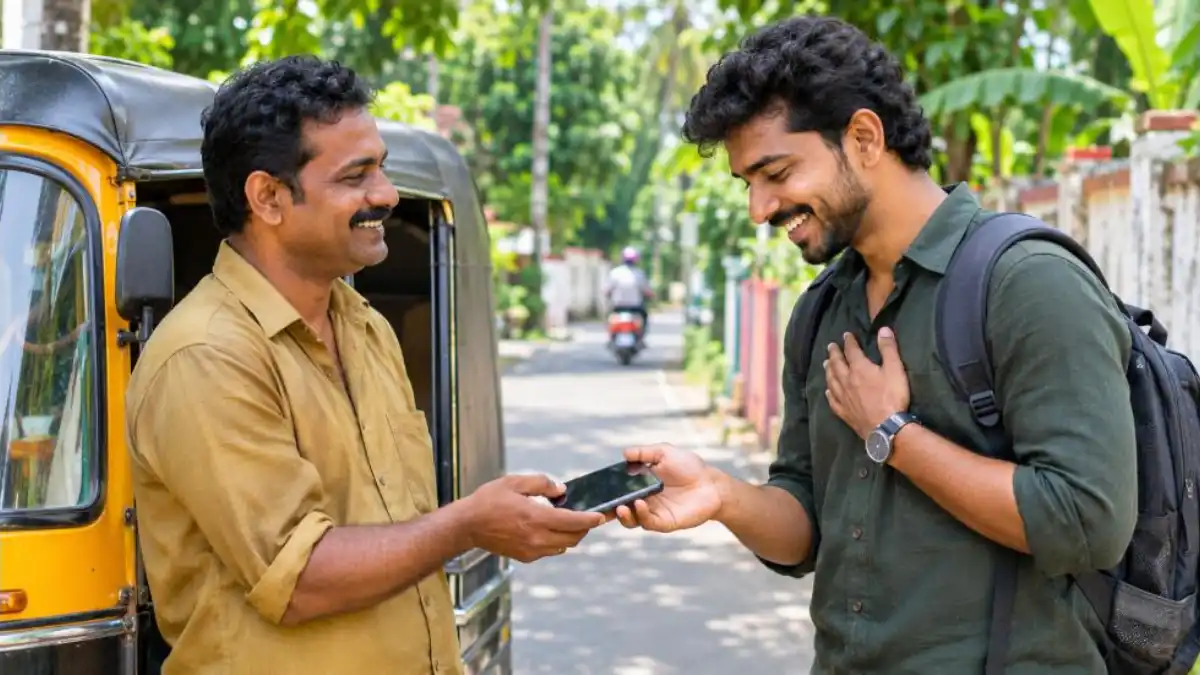
Rahul left his phone in an autorickshaw in Kochi. He immediately used his friend’s phone to open Google Find My Device, saw the phone moving towards a nearby junction, and played a sound while calling the driver through the auto stand. Within 40 minutes he got the phone back. Because Find My Device was already turned on, he was able to find lost phone details instantly instead of losing it for good.
Find Lost Phone: Android vs iPhone Comparison
| Feature | Google Find My Device | Apple Find My |
|---|---|---|
| Locate on map | Yes | Yes |
| Ring at full volume | Yes | Yes |
| Lock with message | Yes (Secure device) | Yes (Mark As Lost) |
| Erase remotely | Yes | Yes |
| Offline finding network | Available on supported devices | Yes |
| Access from web | google.com/android/find | iCloud.com/find |
Duplicate SIM: Why It Matters
Your mobile number is the key to OTPs for banks, UPI, WhatsApp and email. After you fail to find lost phone devices quickly, get a duplicate SIM from your operator’s store with ID proof. This blocks the old SIM, stops misuse of OTPs and lets you re-register WhatsApp and banking apps on a new phone. Read our guide on checking SIM cards in your name to make sure no unknown SIMs are linked to your identity.
Prevent Phone Theft
- Keep your phone in front pockets or zipped bags in crowded places.
- Avoid using the phone near open bus windows or at road edges.
- Do not leave phones on restaurant tables or car dashboards.
- Use a lanyard or grip when travelling.
- Turn on theft protection features available in newer Android versions, which can auto-lock the phone if it is snatched.
Theft Protection Features on New Android Phones
Recent Android versions include theft protection tools that make it harder for thieves to misuse a snatched phone. These may include a lock that activates if the phone detects a sudden snatch-and-run motion, an offline device lock when the phone stays disconnected, and a remote lock you can trigger using only your phone number. Check Settings > Security & privacy on your phone to see which options are available and turn them on.
iPhone Stolen Device Protection
iPhones offer Stolen Device Protection, which adds extra security when the phone is away from familiar locations, such as requiring Face ID or Touch ID for sensitive changes and adding a delay before critical settings can be changed. Enable it in Settings > Face ID & Passcode.
Keep a Lost-Phone Plan Ready
Write down a simple plan in a note shared with a family member: your IMEI numbers, operator customer care number, bank helpline numbers and the steps listed in this guide. If you ever need to find lost phone devices or block them, you will act quickly instead of searching for information in panic.
Buying a Second-Hand Phone? Check It First
Stolen phones are often resold. Before buying a used phone, check the IMEI status on the Sanchar Saathi portal’s “Know Your Mobile” (KYM) feature, insist on the original bill and box, and make sure the previous owner has removed their Google account or Apple ID. Buying a blocked or stolen phone can lead to legal trouble and a useless device.
Teach Children and Elders
Show family members how to ring their phone from a computer and how to call you immediately if they lose it. For children, use parental controls and location sharing features. For elders, set a simple lock and keep an emergency contact on the lock screen so that an honest finder can return the phone easily.
Set up these protections today, share the plan with your family and stay calm if your phone ever goes missing.
Frequently Asked Questions
Can I find lost phone devices if they are switched off?
You can see the last known location. Some newer phones can be located through offline finding networks for a period even after being switched off, depending on model and settings.
Can I track a phone using only the IMEI?
Individuals cannot track with IMEI directly. Blocking via CEIR helps authorities trace it when it is used on a network.
Will blocking IMEI stop the phone from working?
Yes, it cannot be used on Indian mobile networks while blocked. You can unblock it after recovery.
Is a police complaint necessary?
Yes, for CEIR blocking and for insurance claims.
How do I protect UPI after losing my phone?
Call your bank to block UPI, get a duplicate SIM and change your UPI PIN on a new device.
Conclusion
To find lost phone devices quickly, act fast: ring and locate it through Google Find My Device or Apple Find My, lock it remotely, secure your bank and UPI accounts, block the SIM and, if stolen, file a police complaint and block the IMEI through Sanchar Saathi. Most importantly, set up your phone today with Find My features, a strong lock and backups so you are prepared if it ever goes missing.