 by
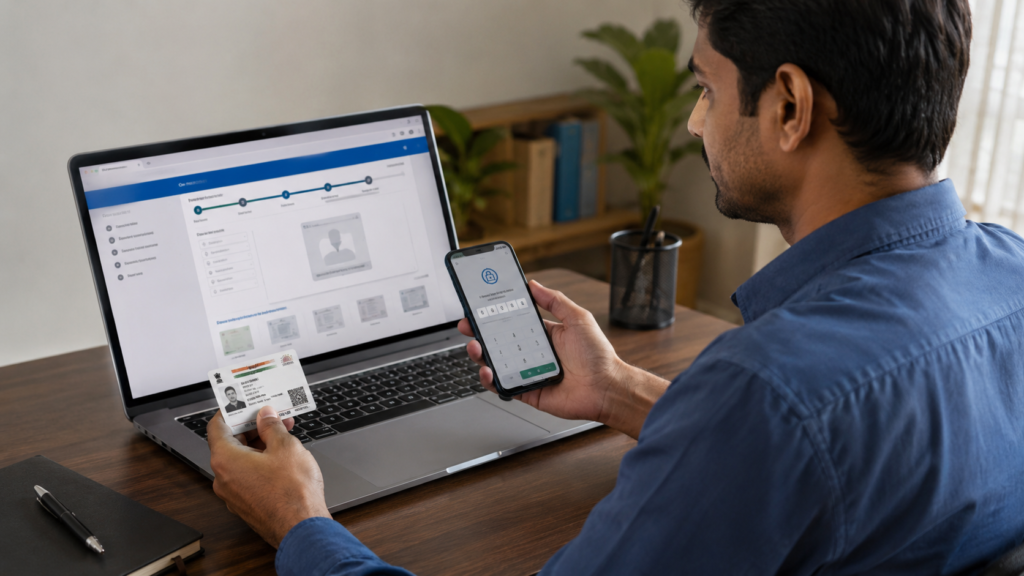
by A PAN Card (Permanent Account Number) is one of the most important identity documents for financial and tax-related activities in India. Issued by the Income Tax Department, PAN is a unique 10-character alphanumeric number that helps track financial transactions and tax records. Today, applying for a new PAN Card has become simple and can be completed online from home.
What is a PAN Card?
PAN stands for Permanent Account Number. It is issued by the Income Tax Department of India and serves as a unique identification number for individuals and entities. The PAN number remains the same throughout a person’s lifetime and is widely used for taxation and financial purposes.
Why is a PAN Card Important?
A PAN Card is required for many important activities, including:
- Opening bank accounts
- Filing Income Tax Returns (ITR)
- Applying for loans and credit cards
- Investing in mutual funds and stocks
- Buying or selling property
- Completing KYC verification for financial services
Documents Required
Before starting the application, keep the following documents ready:
- Aadhaar Card
- Mobile number linked with Aadhaar
- Passport-size photograph (if required)
- Signature image (for physical PAN applications)
- Address proof (if applicable)
Who Can Apply?
The following categories can apply for a PAN Card:
- Indian citizens
- Students above 18 years
- Minors through parents or guardians
- NRIs and foreign citizens under applicable categories
How to Apply for PAN Card Online
Follow these simple steps:
Step 1
Visit the official PAN application portal of Protean (NSDL) or UTIITSL.
🆔 Apply for PAN Card via Protean Portal
🆔 Visit UTIITSL Official PAN Services Portal
Step 2
Select “Apply for New PAN Card”.
Step 3
Choose the appropriate application type, usually Individual.
Step 4
Enter your basic details:
- Full Name
- Date of Birth
- Mobile Number
- Email ID
Step 5
Verify your mobile number using the OTP received.
Step 6
Select the Aadhaar-based e-KYC option for faster verification.
Step 7
Fill in your personal details and address information carefully.
Step 8
Upload your photograph and signature if required.
Step 9
Review all the information entered and correct any mistakes.
Step 10
Pay the applicable PAN application fee through online payment methods.
Step 11
Submit the application and save the acknowledgement number for future reference.
e-PAN Facility
Applicants using Aadhaar-based verification may receive an e-PAN.
Benefits include:
- Available in PDF format
- Can be downloaded online
- Digitally valid for most official purposes
- Faster delivery compared to physical PAN cards
How to Check PAN Application Status
You can track your application status online:
- Visit the official portal.
- Enter your acknowledgement number.
- Submit the details.
- View the current application status.
Important Tips
- Ensure Aadhaar details match exactly with the application.
- Use an active mobile number linked with Aadhaar.
- Double-check the spelling of your name and date of birth.
- Save the acknowledgement number safely for tracking.
Official Websites
🆔 Visit UTIITSL Official PAN Services Portal
🆔 Apply for PAN Card via Protean Portal
Conclusion
Applying for a PAN Card online has become quick, easy, and convenient. With Aadhaar-based e-KYC and digital verification, most applicants can complete the process from home without visiting any office. By following the steps carefully and providing accurate information, you can receive your PAN Card smoothly and use it for banking, taxation, investments, and other important financial services.