by
by PM-WANI Wi-Fi is a Government of India scheme that brings affordable public internet to shops, bus stands, markets and villages across the country. WANI stands for Wi-Fi Access Network Interface. Under this system, small local businesses can set up public hotspots, and anyone can connect using a simple app and mobile OTP. This guide explains how to find a nearby hotspot, how to connect safely and how you can even start your own PM-WANI access point.
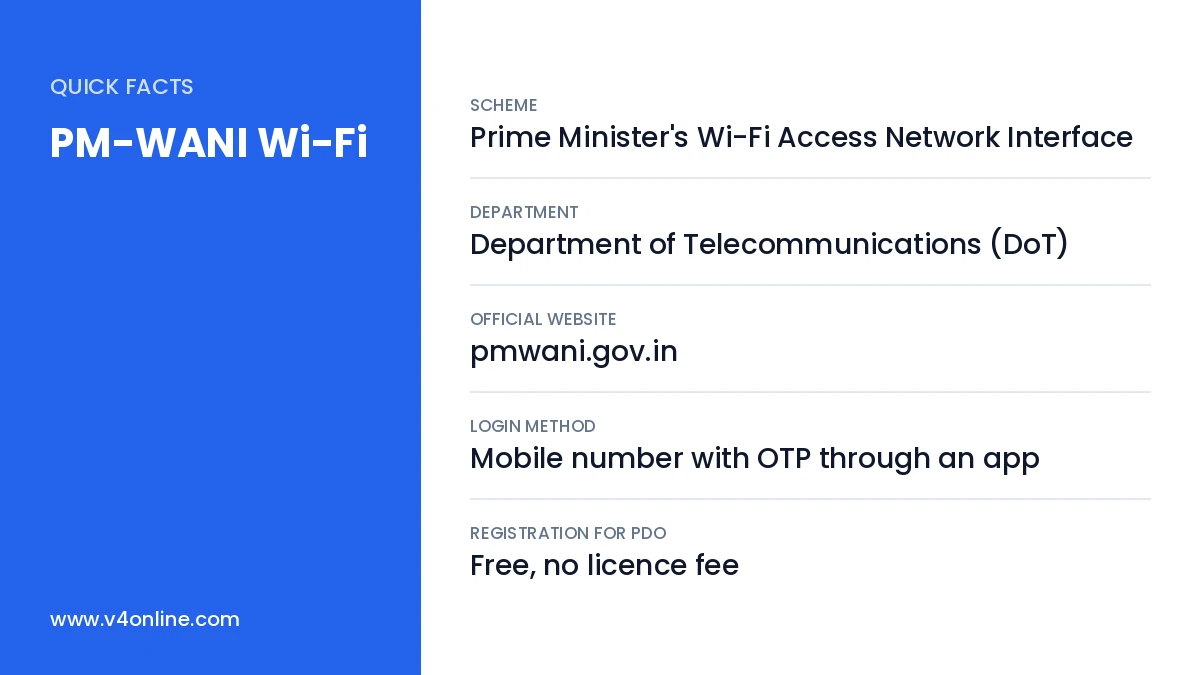
| Scheme | Prime Minister’s Wi-Fi Access Network Interface |
|---|---|
| Department | Department of Telecommunications (DoT) |
| Official Website | pmwani.gov.in |
| Login Method | Mobile number with OTP through an app |
| Registration for PDO | Free, no licence fee |
How the PM-WANI System Works
The scheme has four main players. Public Data Offices (PDOs) are local shops or entrepreneurs who run the hotspot. Public Data Office Aggregators (PDOAs) provide the software, billing and support to PDOs. App Providers build the apps that users download to find and log in to hotspots. The Central Registry, maintained by C-DoT, keeps the records of all players. This open model allows many small businesses to offer internet without a telecom licence.
Benefits of PM-WANI Wi-Fi
- Low-cost data plans, often cheaper than mobile data packs.
- Public internet in rural areas where mobile signals are weak.
- Single login works across hotspots of different providers.
- Extra income for local shop owners who become PDOs.
- Useful for students, travellers and small businesses.
How to Find and Connect to PM-WANI Wi-Fi
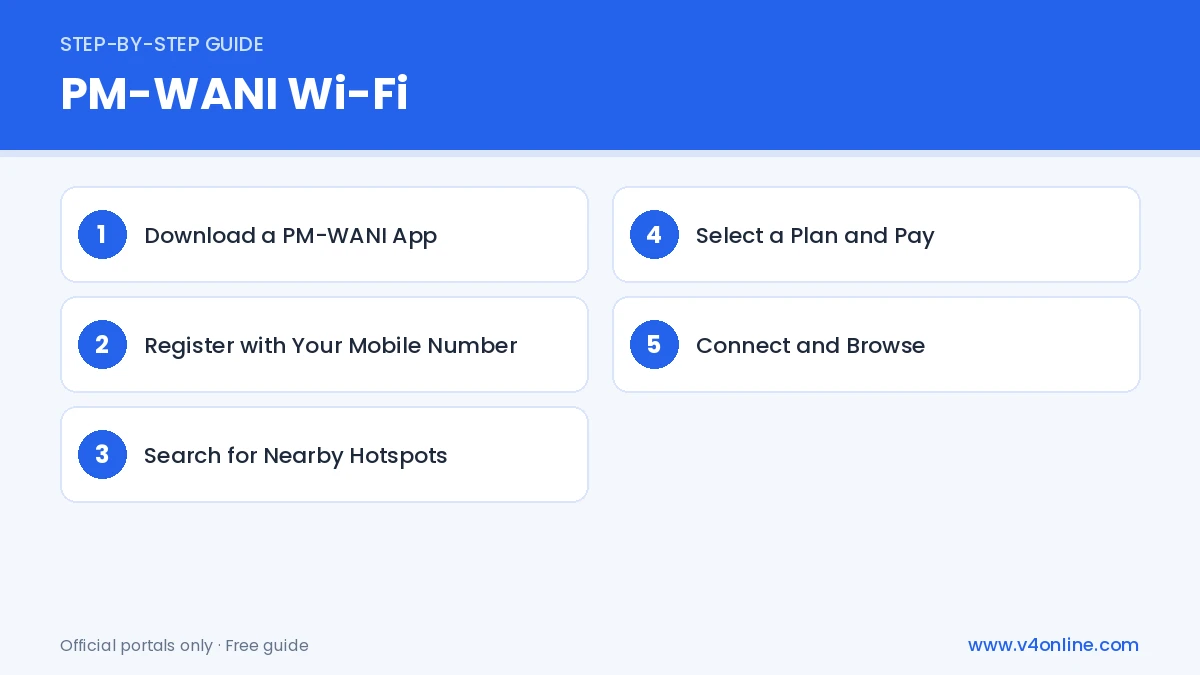
Step 1: Download a PM-WANI App
Visit pmwani.gov.in and open the list of registered App Providers. Choose any app from the list and install it from the Play Store. Only registered apps can log you in to PM-WANI hotspots.
Step 2: Register with Your Mobile Number
Open the app and enter your mobile number. Verify it with the OTP you receive. Your profile is created once and can be used at any PM-WANI Wi-Fi hotspot in the country.
Step 3: Search for Nearby Hotspots
Turn on location and Wi-Fi on your phone. The app shows nearby hotspots on a map or list, along with the provider name and available plans. You will also see Wi-Fi names with “PM-WANI” in your phone’s Wi-Fi list when you are near one.
Step 4: Select a Plan and Pay
Tap the hotspot and choose a data plan based on time or data volume. Pay through UPI or other supported methods inside the captive portal. Some providers offer free trial minutes.
Step 5: Connect and Browse
After payment, the app connects you to the hotspot automatically. You can browse, study, make video calls and download files until your plan ends.
How to Start Your Own PM-WANI Hotspot
Any shop owner or small business can become a Public Data Office. You need a broadband connection from an internet service provider, a Wi-Fi access point, and a tie-up with a registered PDOA. Registration with DoT is simple and online, with no licence fee. The PDOA gives you the equipment setup and billing software, and you earn a share of the money users pay for data plans at your PM-WANI Wi-Fi hotspot.
Common Problems and Solutions
If the hotspot does not appear, move closer to the access point and check that Wi-Fi and location are on. If OTP is not received, check network signal and try again after a minute. If payment fails but money is debited, contact the app provider’s support with the transaction ID. Slow speed usually means many users are connected, so try a different hotspot nearby.
Where You Can Find PM-WANI Hotspots
PM-WANI Wi-Fi hotspots are usually found at tea shops, grocery stores, mobile recharge shops, bus stands, railway areas, colleges and village markets. Some panchayats and public libraries also offer them. Since new hotspots are added regularly, open your app often to see the latest locations. If there is no hotspot in your area, you can encourage a local shop owner to become a PDO, because the setup cost is low and it can bring extra customers.
Data Plans and Pricing
Each PDOA sets its own plans. Common options include hourly passes, daily packs and weekly packs, with prices that are often lower than regular mobile data. Before paying, compare the speed and validity shown in the app. Keep the payment receipt until the plan is used fully, in case you need support from the provider.
Frequently Asked Questions
Is PM-WANI Wi-Fi free?
Most hotspots charge a small fee for data plans, though some offer short free sessions.
Do I need a new login for each hotspot?
No. One registered app profile works across all PM-WANI hotspots.
Who can become a PDO?
Any shop, business or individual can register as a PDO without a licence.
Is PM-WANI Wi-Fi safe to use?
Registered apps use OTP login and secure systems, but always avoid sensitive transactions on any public network without HTTPS.
Can I use PM-WANI in another state?
Yes. Your app profile works at registered hotspots across India, as long as the hotspot is listed in the central registry.
Conclusion
PM-WANI Wi-Fi makes internet affordable and available in more places across India. Download a registered app, verify your number, find a nearby hotspot and pick a plan that suits you. With public Wi-Fi, you can easily access online services like DigiLocker and e-District Kerala even where mobile data is weak.